
Now on Linux · free
Shadowkit, on your computer.
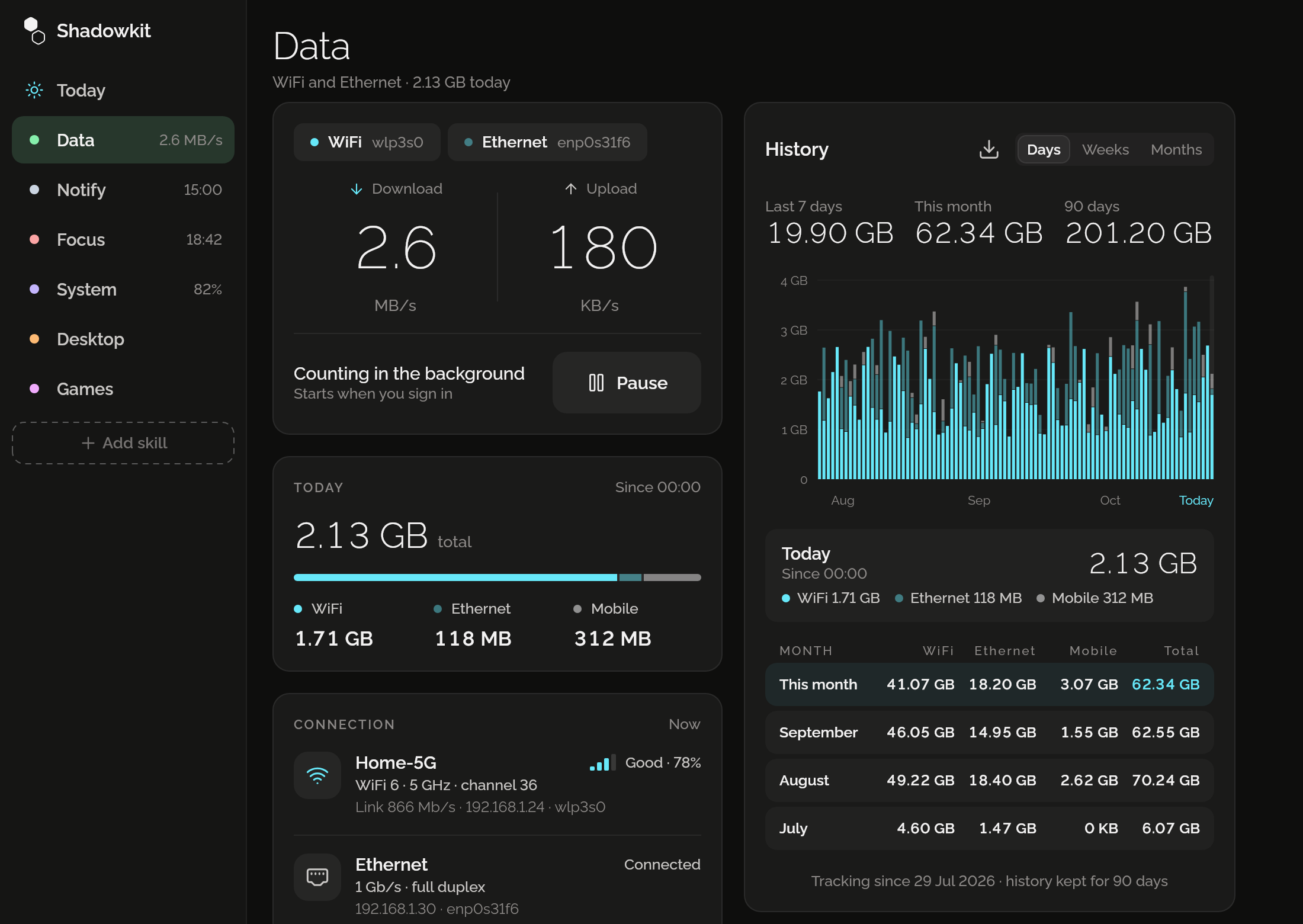
Six skills: Data, for live network speed and every day’s use, Notify, for reminders and pins, Focus, for work and breaks, System, for the battery and the disk, Desktop, for GNOME dark at sunset, quiet hours and the habits you bring from Windows or a Mac, and Games, six small ones for the wait. Focus earns gems, as on the phone. Offline, no account, free, and it all stays on your computer.
- LinuxOut now
- WindowsLater
- macOSLater
Install it
Download
The .deb above, for Ubuntu 22.04 or newer and Debian 12 or newer on x86-64.
Install
In a terminal, in the folder you saved it to:
sudo apt install ./shadowkit_*_amd64.debOpen Shadowkit
From your apps. It asks to start counting at sign-in, so reminders and breaks come with the window closed.
On GNOME, its tray icon needs the AppIndicator extension, which Ubuntu ships: gnome-extensions enable ubuntu-appindicators@ubuntu.com
Its skills
Data
Live network speed, today’s Wi-Fi, Ethernet and mobile data, and every day kept.
Notify
Reminders that arrive with the window closed, and pins in your tray and notification list.
Focus
A timer for a stretch of work, then a break, with every day’s focused time kept.
System
The battery’s charge, time left and health, and the disk’s free space, kept day by day.
Desktop
GNOME dark at sunset, quiet hours, and set up the way Windows or a Mac behaves.
Games
Six small games for the wait: against the computer, with someone beside you, or alone.
Never online
It reads the network counters your computer already keeps. It never connects to anything.
Works in the background
A small counter runs from sign-in with the window closed: it counts Data, sends your reminders, keeps Focus’s timer, System’s days and Desktop’s hours, in a few megabytes.
Free
No ads, no account, no Pro: every day of history you keep, as many reminders as you like, and every focus session.