Now on Linux · free

Your network, counted.

A network speed and data usage monitor for Ubuntu or Debian: live download and upload speed, today’s Wi-Fi, Ethernet and mobile data, and every day kept, counted in the background from sign-in. Offline, free, no account.

  • On Linux now
  • Free, all of it
  • Never goes online
Download for Linux

Version 0.4.0 · .deb, 63 MB · Ubuntu 22.04+ and Debian 12+

Every release and its checksum
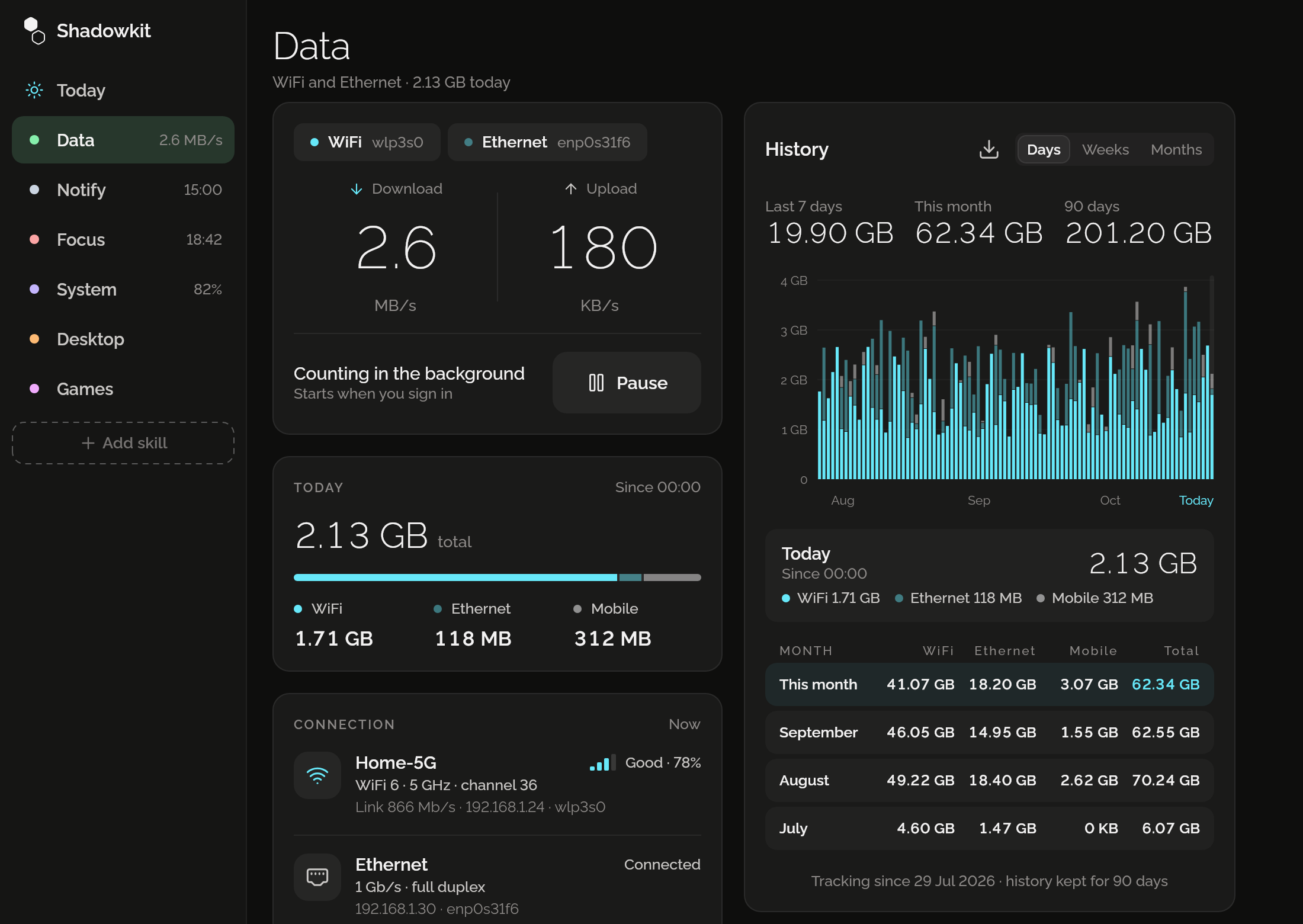
Shadowkit on a computer: Data’s page with live download 2.6 MB/s and upload 180 KB/s on WiFi and Ethernet, today’s 2.13 GB by kind, the connection, this month’s mobile limit and 90 days of history as bars.

Live speed, in the top bar too

Download and upload as they happen, on each connection Data counts, and beside Shadowkit’s icon in the top bar where your desktop’s tray shows text. Pause counting whenever you like.
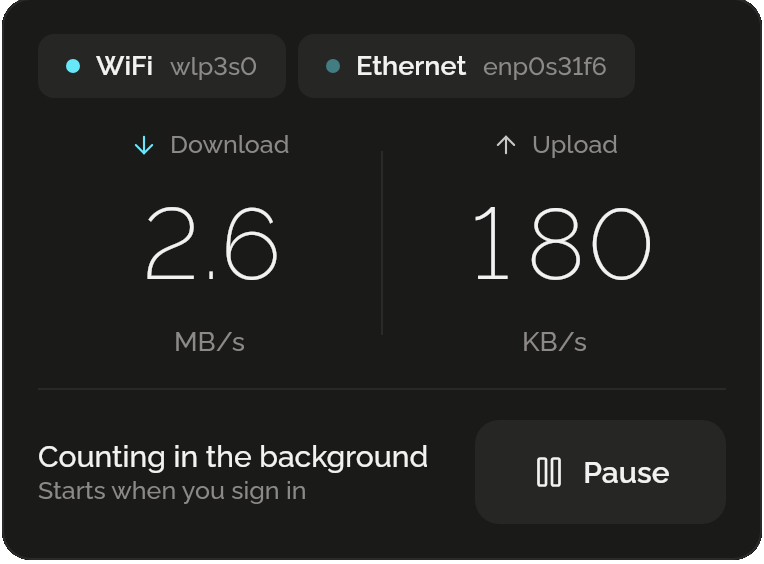
Live speed on WiFi wlp3s0 and Ethernet enp0s31f6: download 2.6 MB/s and upload 180 KB/s, “Counting in the background, starts when you sign in”, and Pause.

Today, by kind

What today used on Wi-Fi, Ethernet and mobile data since midnight, with a modem or a phone tethered by USB or Bluetooth counted as mobile.
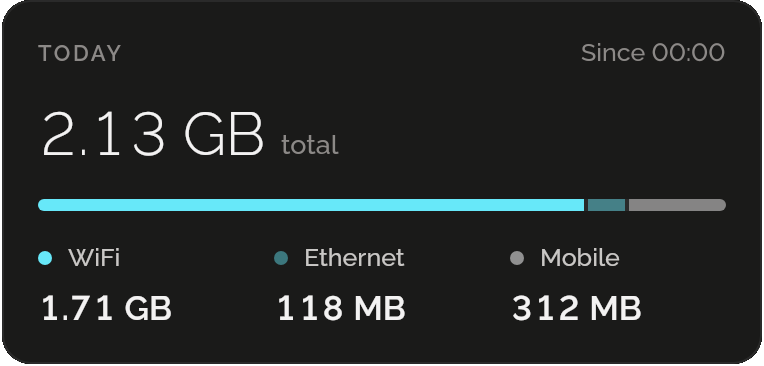
Today since 00:00: 2.13 GB in total, WiFi 1.71 GB, Ethernet 118 MB and mobile 312 MB, with a bar split between them.

Which network, how good

The Wi-Fi network’s name, generation, band, channel and signal, the link’s speed and your local address, and Ethernet’s speed, read from the computer while the page is open.
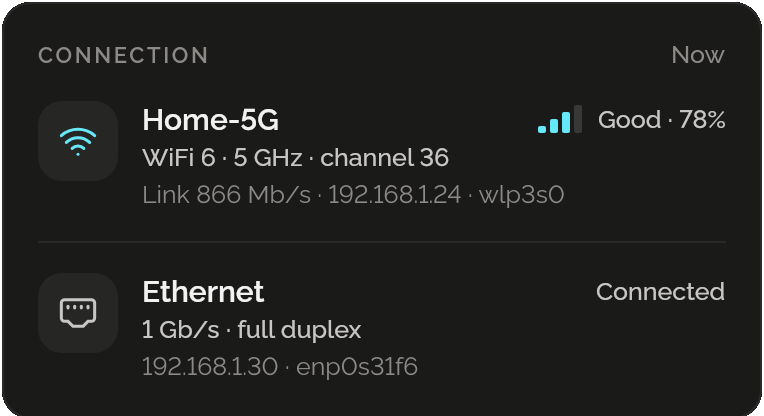
Connection: Home-5G, WiFi 6, 5 GHz, channel 36, a good signal at 78%, link 866 Mb/s and the address 192.168.1.24; Ethernet, connected, 1 Gb/s full duplex.

A monthly limit, if you have one

Set your plan’s allowance, on mobile data or on everything, and the day it renews. Data shows what’s left and about how much a day, and tells you at 80% and at 100%, with the window closed too. It never blocks anything.
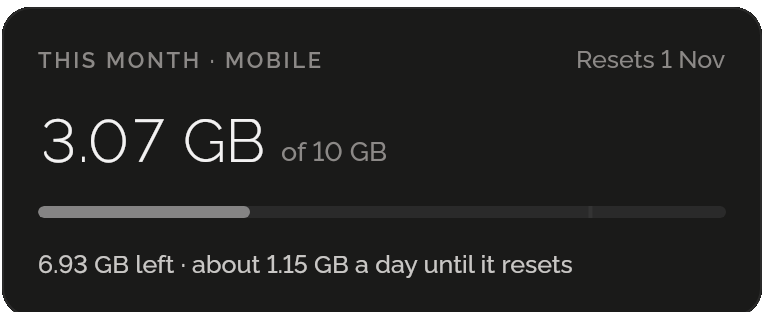
This month, mobile: 3.07 GB of 10 GB, resets 1 November; 6.93 GB left, about 1.15 GB a day until it resets.

Every day, kept

Days, weeks and months as bars, a table of months, and every day as a CSV file for a spreadsheet. Keep 90 days, a year or everything, all free.
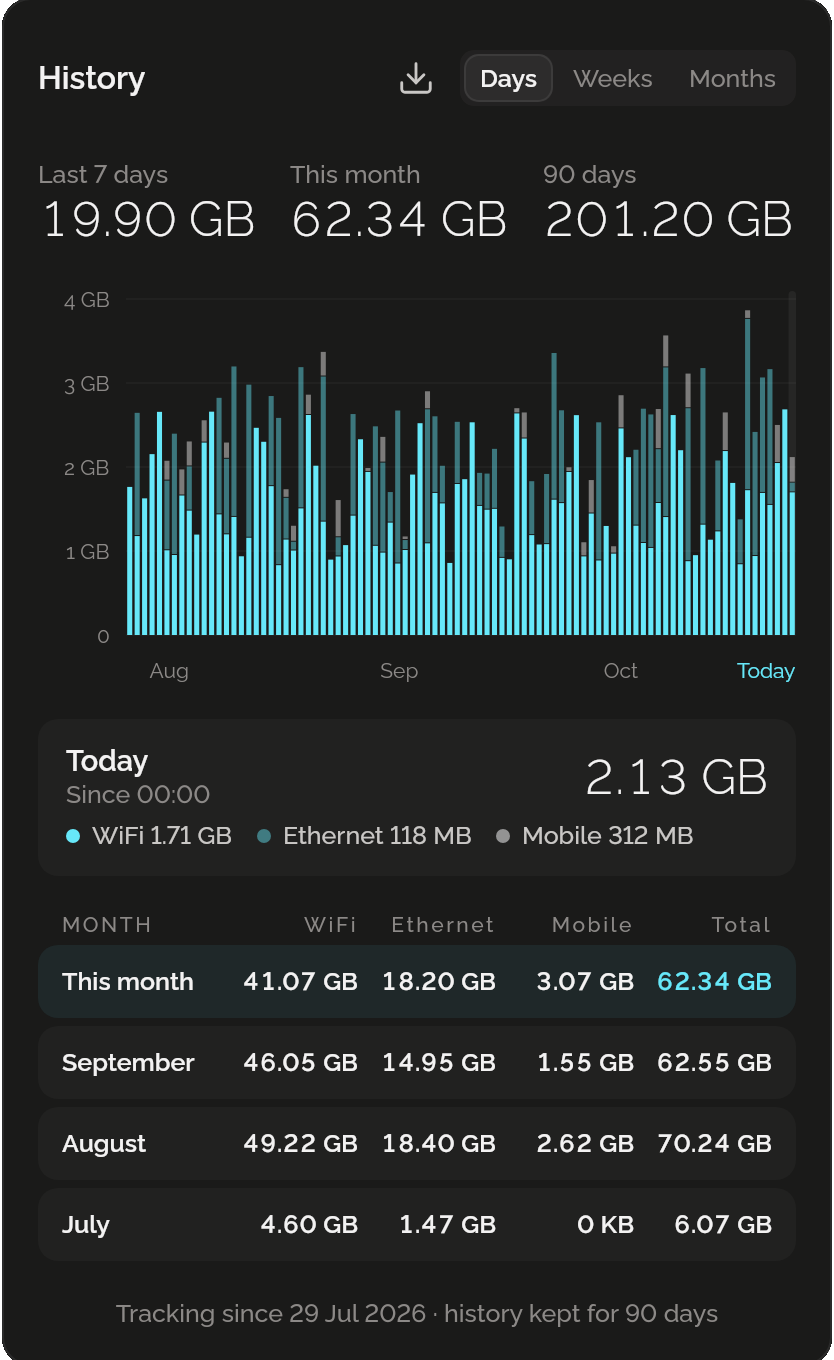
History by days: 19.90 GB in the last 7 days, 62.34 GB this month and 201.20 GB in 90 days, a bar a day from August to today, and a table of months by WiFi, Ethernet and mobile.

Questions

Does Data go online to measure my speed?

No. It reads the counters your computer already keeps for each network. It never connects to anything, not even to test.

Does it count with the window closed?

Yes. A small counter runs from the moment you sign in, while Start at login is on, and uses a few megabytes; the window only shows what it counted.

Does it sync with Data on my phone?

No. Each device counts its own use, and nothing leaves either.

Can it stop me going over my limit?

No. It tells you at 80% and at 100% of the month’s allowance, and never blocks your connection.

Is it free?

Yes, all of it: no ads, no account and no Pro, with every day of history you choose to keep.

When can I get it?

On Linux now: Ubuntu 22.04 or newer and Debian 12 or newer, on GNOME or KDE. Windows and macOS come later.

Guide

All posts

More for your computer

Notify

Reminders that arrive with the window closed, and pins in your tray and notification list.

Focus

A timer for a stretch of work, then a break, with every day’s focused time kept.

System

The battery’s charge, time left and health, and the disk’s free space, kept day by day.

Desktop

GNOME dark at sunset, quiet hours, and set up the way Windows or a Mac behaves.

Games

Six small games for the wait: against the computer, with someone beside you, or alone.

Shadowkit for desktop

On Linux now, Windows and macOS later. Offline, no account, free.

Get Shadowkit

Scan with your Android phone’s camera, or tap Google Play. iPhone is coming soon.Tap Google Play to get it. iPhone is coming soon.

iOS

App Store

Android

Google Play