Shadowkit Events: Event countdown for Android

Count down to what’s ahead.

Keep trips, appointments, anniversaries and Eid on your phone, and see the days left to each. Add reminders a day or a week before, so you hear in time.

It installs Shadowkit, which starts empty: add Events and nothing else.

  • Free for 5 events ahead
  • Reminders free
  • No account
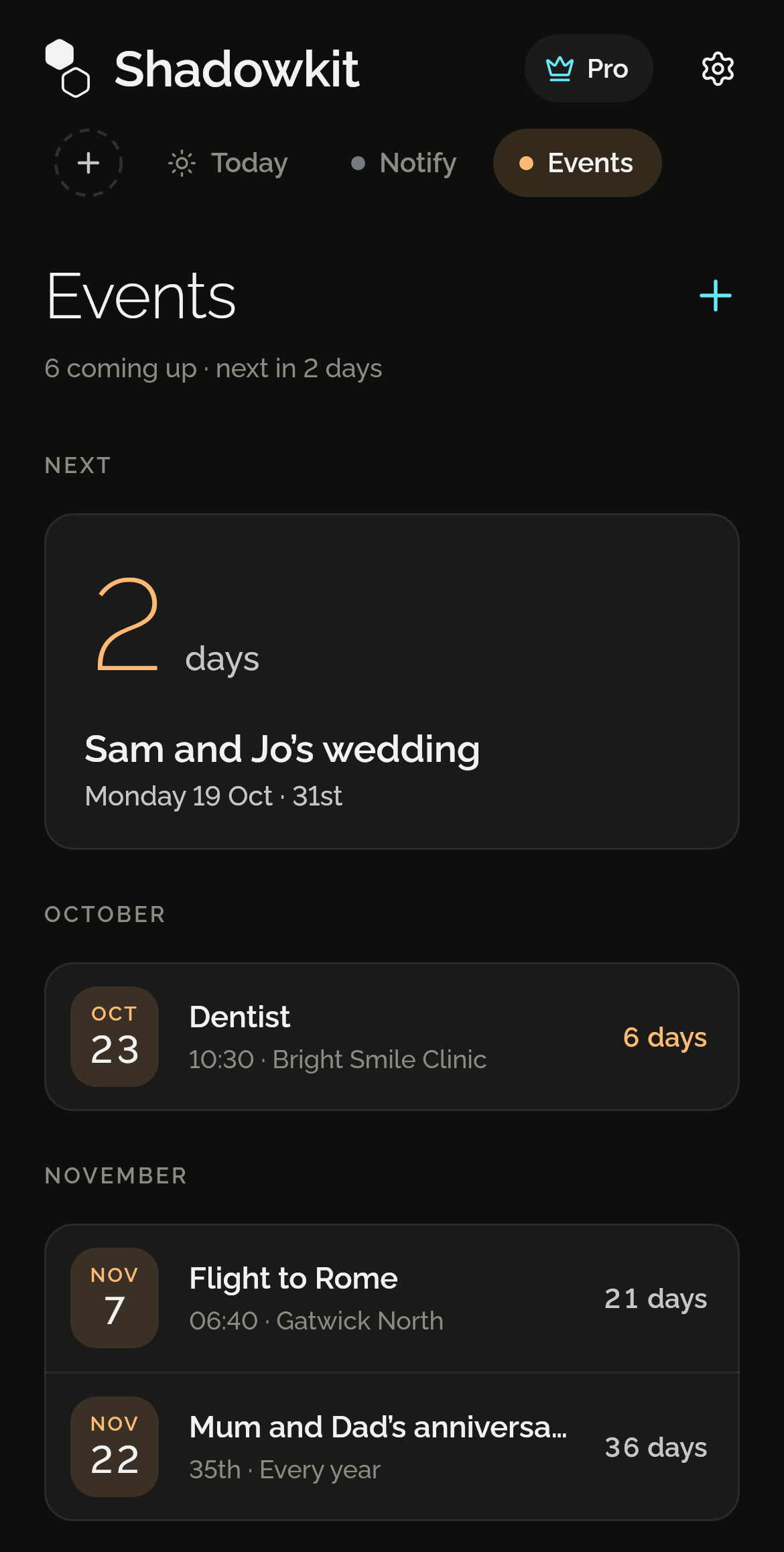
Shadowkit Events’ page on Home: next, an event in 2 days, on Monday 19 October, 31 years on from its first year; then the dentist on 23 October in 6 days, a flight to Rome on 7 November, and Mum and Dad’s 35th anniversary on 22 November.

The next one, large

The soonest event sits on top with its days left, then “Tomorrow” and “Today” as it nears. A yearly event with a first year shows how many years it has been.
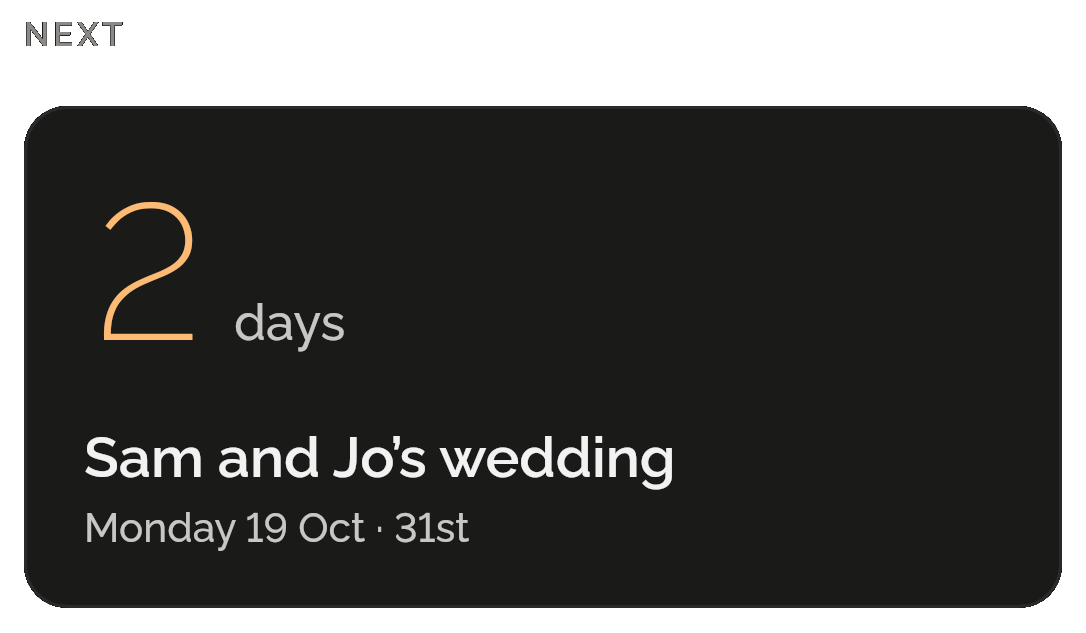
Events’ Next card: 2 days to Monday 19 October, 31 years on from its first year.

Month by month

The rest follow under their months, each with its date and how far off it is. Anything a week away or closer shows in orange.
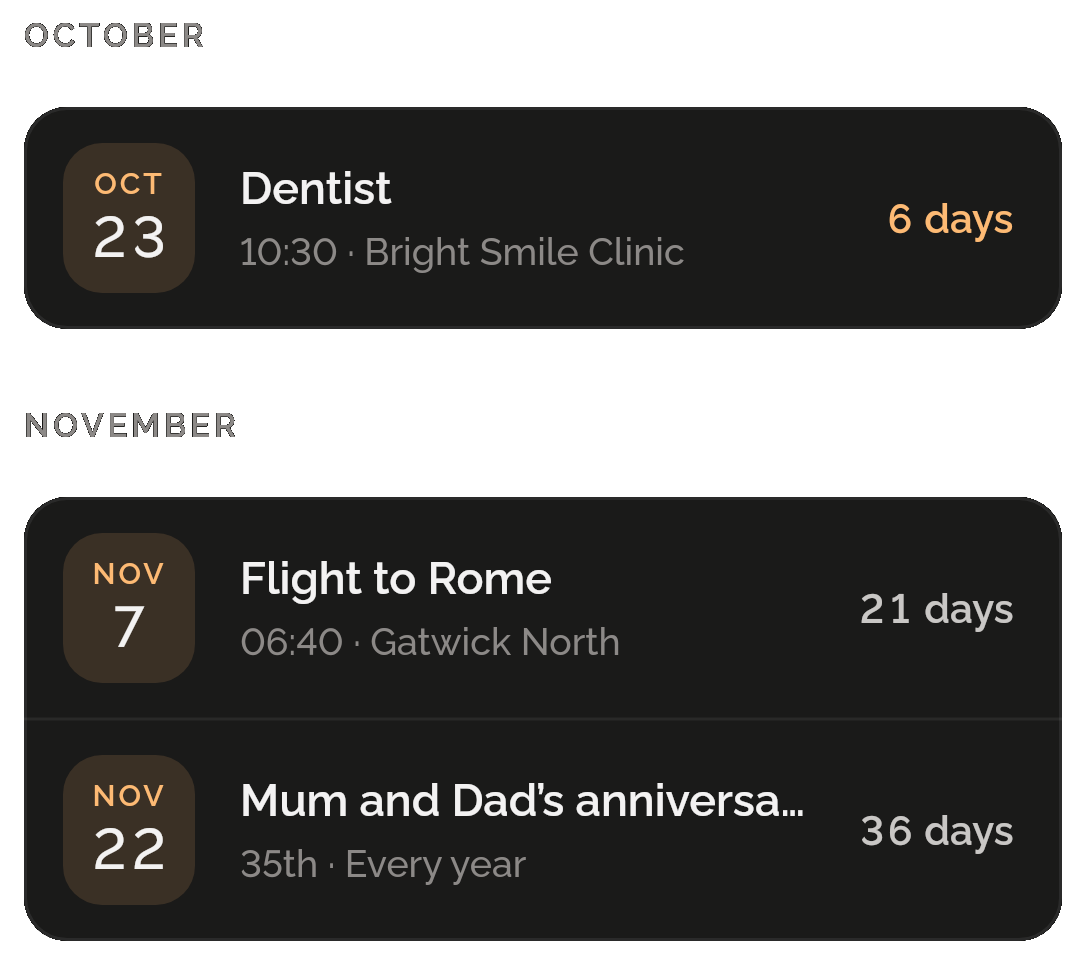
October: the dentist on the 23rd at 10:30, Bright Smile Clinic, in 6 days, in orange. November: a flight to Rome on the 7th at 06:40, Gatwick North, in 21 days, and Mum and Dad’s anniversary on the 22nd, their 35th, every year, in 36 days.

Once or every year

A trip happens once; an anniversary comes back every year. Add the first year and it can show which anniversary is next: “31st”.
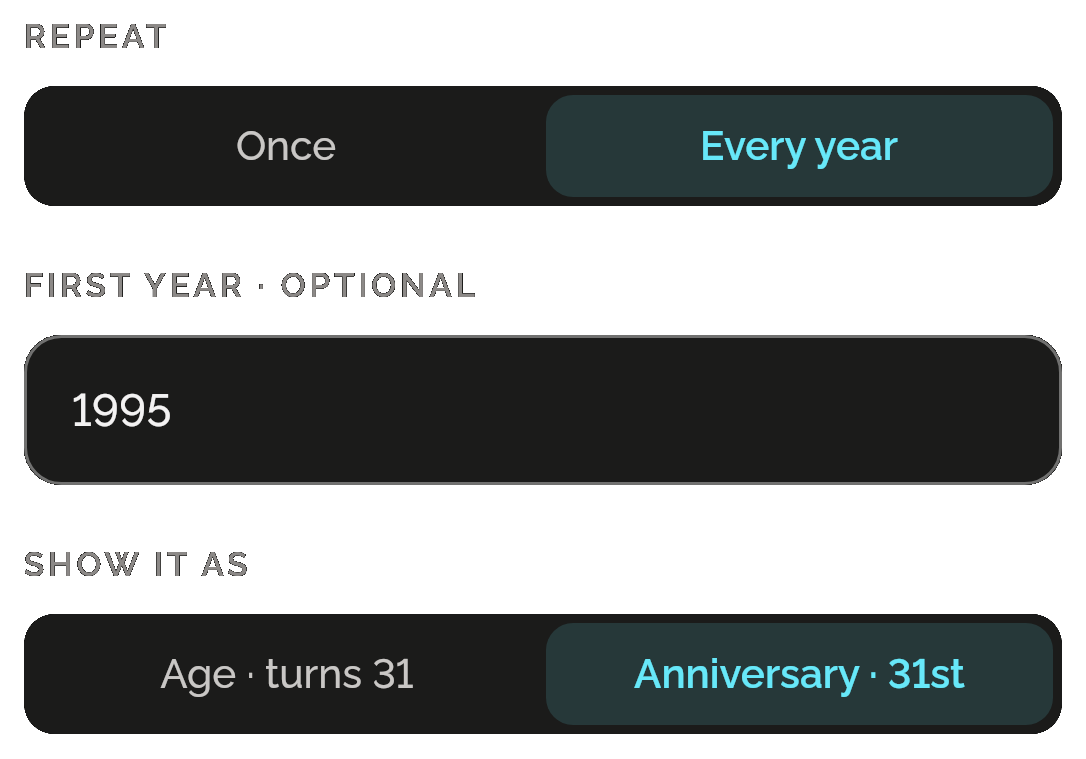
Repeat set to Every year, the first year 1995, and Show it as with Anniversary, 31st, chosen beside Age, turns 31.

Reminders before the day

Turn on as many as you like: at the time, 2 hours, 1 day or 1 week before. An all-day event can remind you at 09:00 on the day.
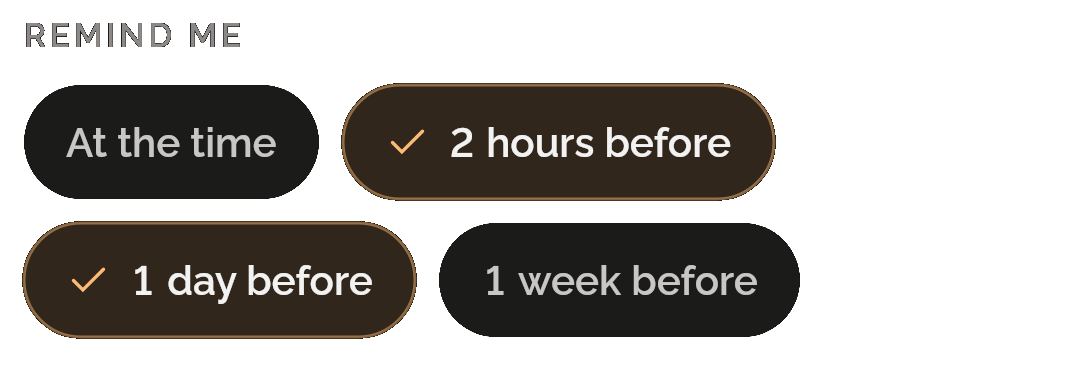
Remind me: At the time, 2 hours before, chosen, 1 day before, chosen, and 1 week before.

See the day as you type

The top of the form counts down as you fill it in, so you can see you picked the right day. Give it a time, or make it all day.
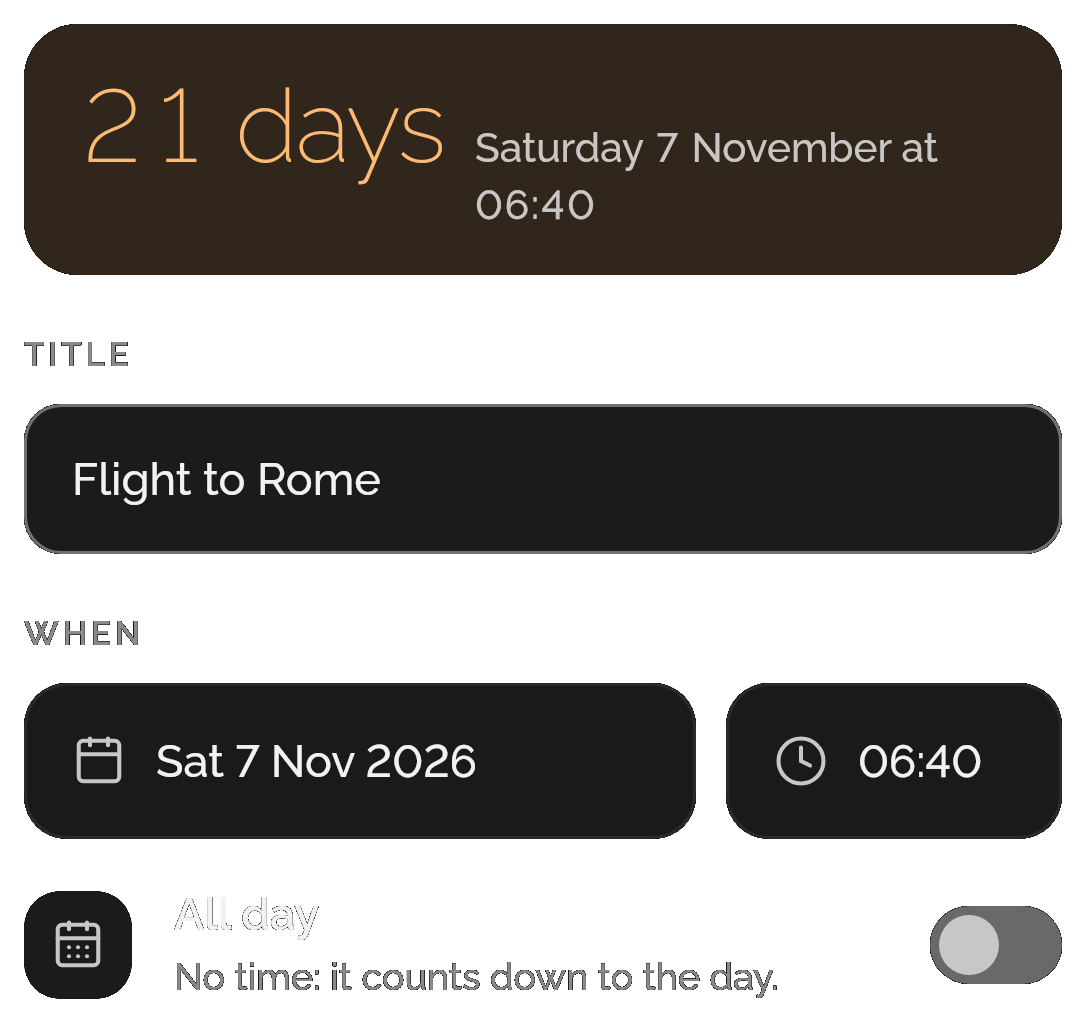
The New event form: 21 days, Saturday 7 November at 06:40, above the title Flight to Rome, the day Sat 7 Nov 2026 at 06:40, and the All day switch, off, “No time: it counts down to the day.”

Only want a countdown to your dates? That’s all you get.

Events lives inside Shadowkit, an app that starts empty. You add the skills you want, and no others come with them.

  1. Install Shadowkit

    Free on Google Play. No account, nothing to sign up for.

  2. Add Events

    Tap “Add your first skill” and pick Events.

  3. That’s your whole app

    No other skill is added. Add one later, or never.

ANDROID

On your home screen

Two widgets for your Android home screen. Countdown is free; Coming up comes with Pro.

  • CountdownFREE

    One event you choose when you place it, with its days left.

  • Coming up

    Your next four events, each with its days left.

Free, and Pro

Free

  • 5 events still to come per profile; past one-off events don’t count
  • Reminders, yearly events and anniversaries
  • The Countdown widget (Android)
  • Back up the whole app, events included, to one file

Pro

  • Unlimited events
  • The Coming up widget (Android)

Events earns no gems: an event is a date, not something you do. If Pro ends, nothing you made is deleted.

What it keeps on your phone

  • What it keeps

    Your events: their titles, dates and times, whether they repeat, first years, places, notes and reminders, in the profile you add them to.

  • Permissions

    Notifications, Alarms and reminders (exact alarms) and Run at startup, the same ones Notify uses, so reminders arrive on time and come back after a restart.

  • Works offline

    Everything works without a connection. On iPhone, Shadowkit keeps your next two event reminders lined up and sets the ones after them each time you open the app.

Privacy policy

Questions

Can it show which anniversary it is?

Yes. For a yearly event, add the first year, such as the year of a wedding, and it reads “35th”. Show it as also offers Age, “turns 31”. You choose which; the app never guesses from the title.

What happens to an event after its day?

A one-off event leaves the list the day after and is then deleted. A yearly one moves to its next date by itself. There’s no history of past events.

Is there a countdown widget?

On Android, yes. Countdown shows one event you choose and its days left, and it’s free. Coming up lists your next four and comes with Pro. There are no home-screen widgets on iPhone.

Does it sync with my calendar?

No. Events doesn’t sync with any calendar. Your events stay in Shadowkit, on your phone, in the profile you add them to.

Can it count down to Eid or Ramadan?

Yes, as a one-off event on its expected date. Islamic dates are expected, subject to moon sighting, so edit the event once the day is confirmed. The Ramadan and Eid gifts goals add an Eid countdown for you.

Will reminders reach me on iPhone?

Yes. iOS limits how many notifications an app can line up ahead, so Shadowkit keeps your next two event reminders ready and sets the ones after them each time you open the app.

Guide

All posts

Start with Events.

Free for 5 events ahead, reminders included. No account, no sign-up, and it works without a connection.

Android now, iPhone soon

Add more when you want them

Goes with Events in “Never miss a thing”

Notify

Every schedule reads as a sentence, with the next times it fires.

More about Notify
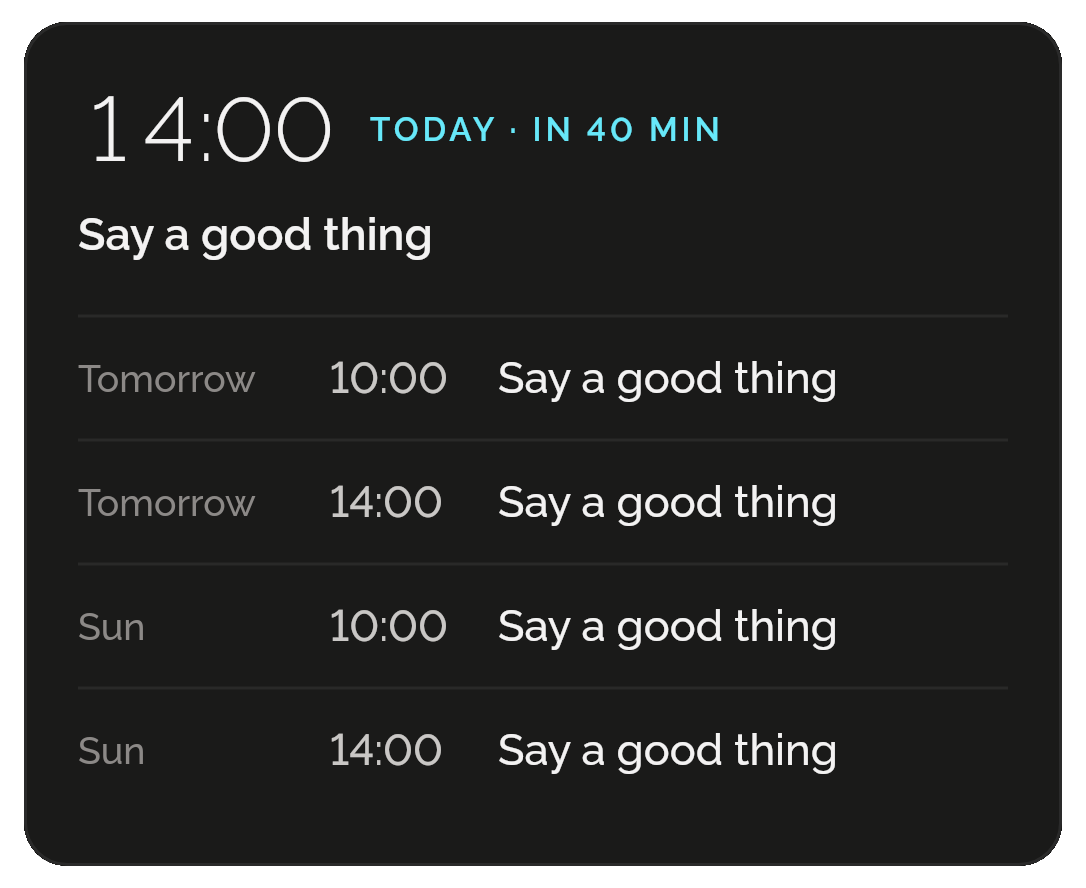
Notify’s Up next: Say a good thing at 14:00 today, in 40 minutes, then at 10:00 and 14:00 tomorrow and at 10:00 and 14:00 on Sunday.
All skills

Get Shadowkit

Scan with your Android phone’s camera, or tap Google Play. iPhone is coming soon.Tap Google Play to get it. iPhone is coming soon.

iOS

App Store

Android

Google Play