Shadowkit Split: Bill splitter for Android

Who owes what, to the penny.

Split works out a bill and its tip evenly, by who had what or by shares, and the shares always add up to the total. Save a split to tick off who has paid back.

It installs Shadowkit, which starts empty: add Split and nothing else.

  • Free calculator
  • Free for 3 open splits
  • No account
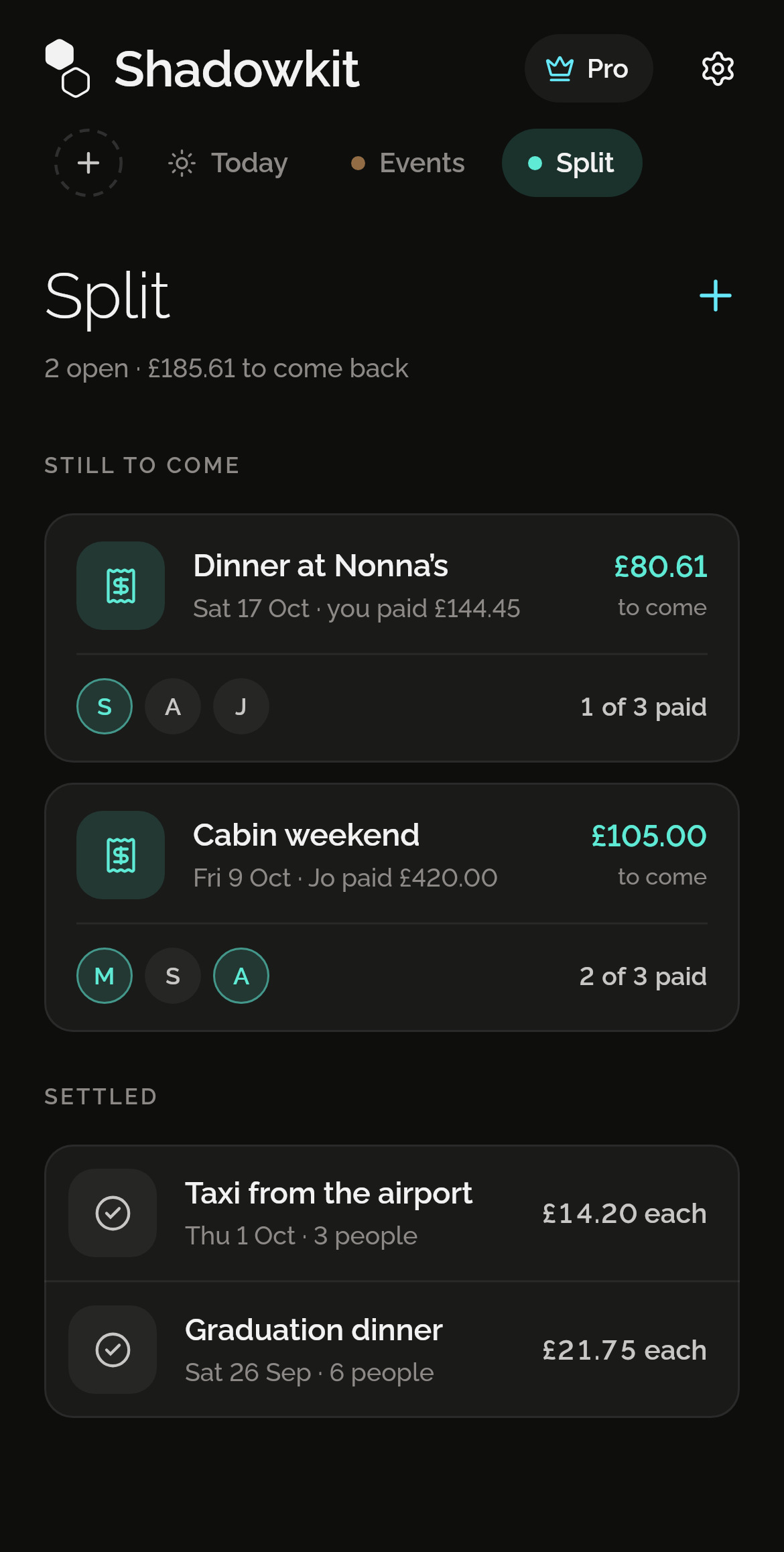
Shadowkit Split’s page on Home: 2 open, £185.61 to come back; Dinner at Nonna’s with £80.61 to come and 1 of 3 paid, and Cabin weekend with £105.00 to come and 2 of 3 paid; then, settled, Taxi from the airport and a graduation dinner.

Evenly, to the penny

Type the bill, pick a tip and set how many people. When it doesn’t divide exactly, Split says how many of you pay a penny more, so the shares add up to the total.
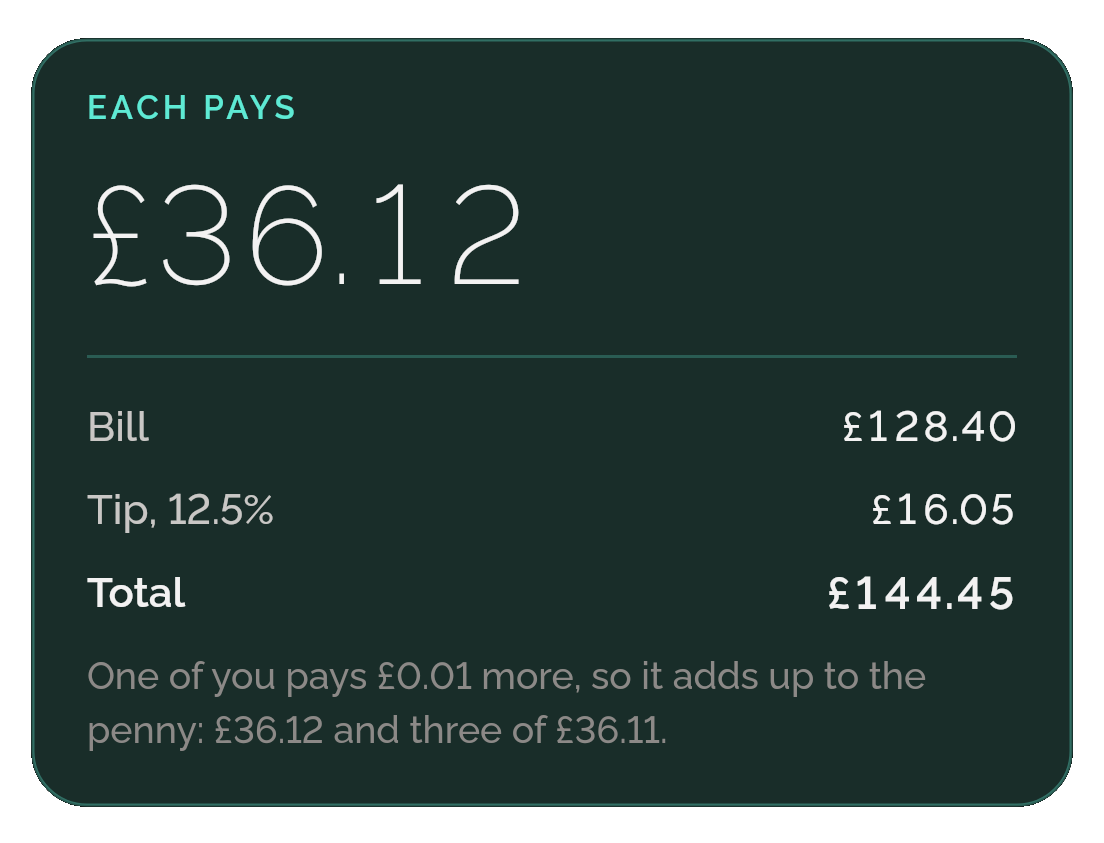
Split’s Each pays card: £36.12, then Bill £128.40, Tip 12.5% £16.05 and Total £144.45, with the note “One of you pays £0.01 more, so it adds up to the penny: £36.12 and three of £36.11.”

Round each up

Turn it on and each share goes up to a whole pound, euro or dollar, with the extra going to the tip; a set amount stays as it is. Split shows what the tip becomes before you decide.

The Round each up switch, off, with the caption “£37.00 each · the tip becomes £19.60 (15.3%)”.

By who had what

Add each item with its price and tap it to say who had it: one person, a few or everyone. The tip and any tax or fee are shared in proportion to what each person had.
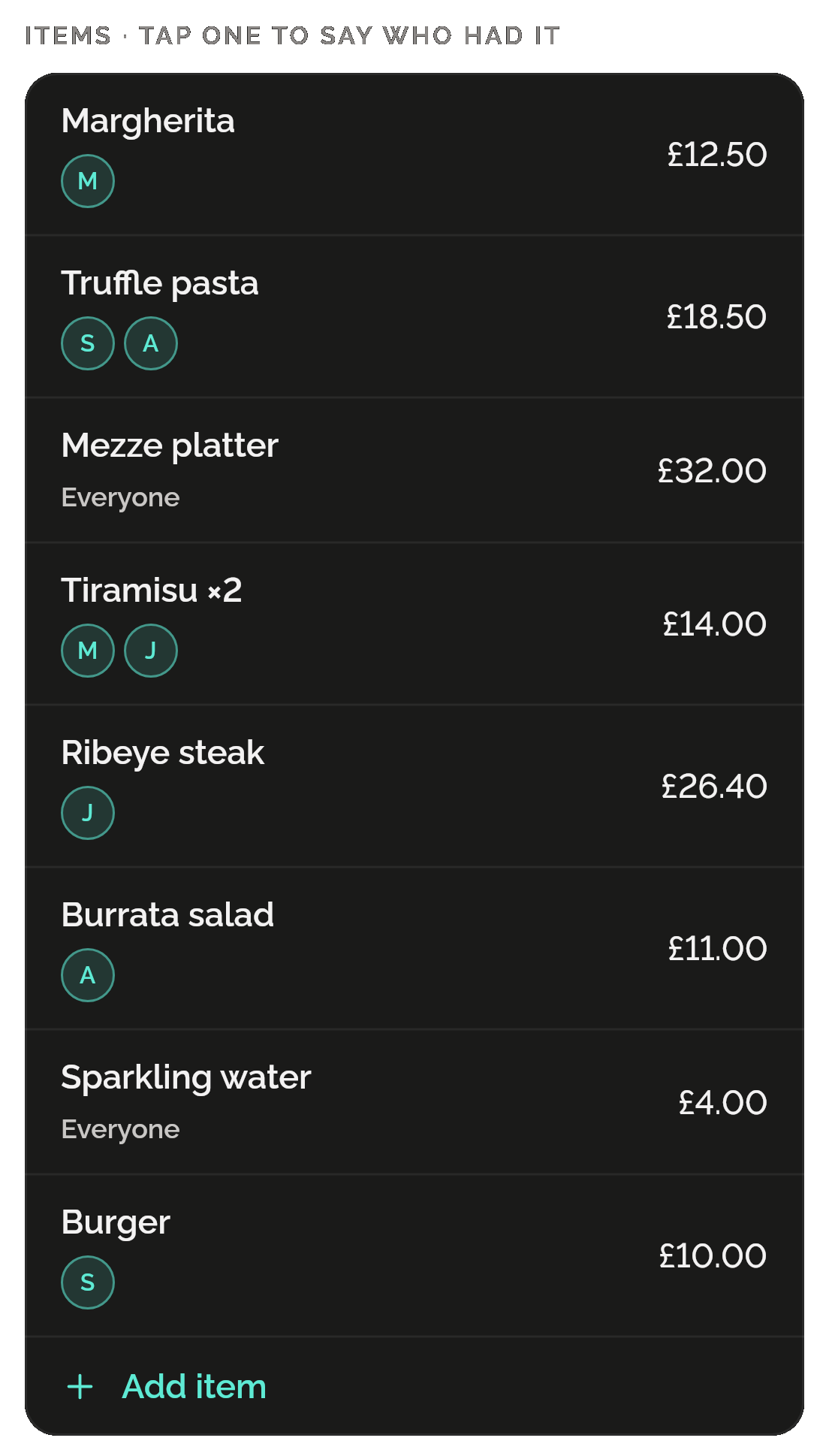
Split’s items, tap one to say who had it: Margherita £12.50 for M, Truffle pasta £18.50 for S and A, a £32.00 item for everyone, Tiramisu ×2 £14.00 for M and J, Ribeye steak £26.40, Burrata salad £11.00, Sparkling water £4.00 for everyone and Burger £10.00, then Add item.

By shares, or a set amount

Give someone more shares, up to 20, when they count for more. Anyone can pay a set amount instead; it comes off first and the rest is shared.
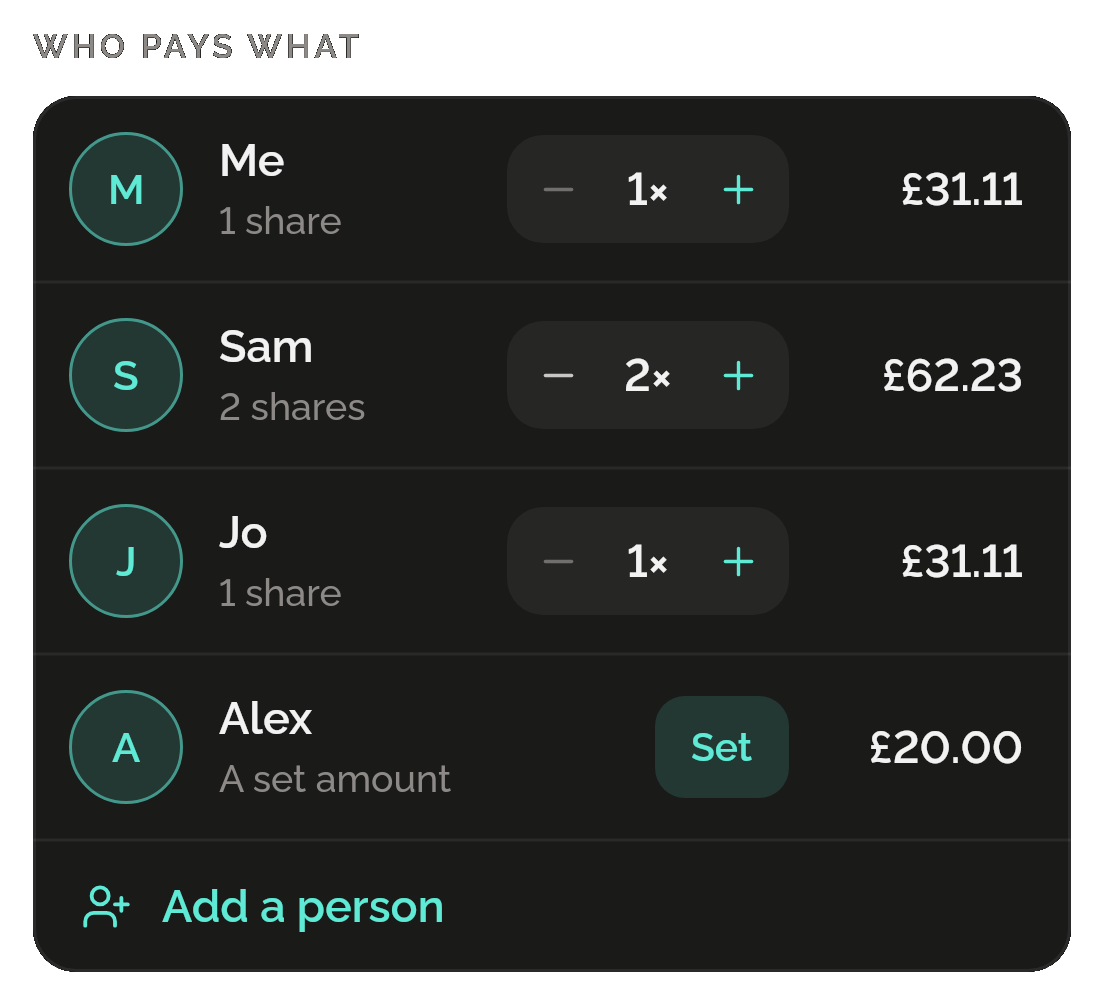
Split’s Who pays what by shares: Me 1 share £31.11, Sam 2 shares £62.23 and Jo 1 share £31.11, each with a stepper, and Alex, a set amount, £20.00; then Add a person.

Tick off who has paid

Save a split and it waits under Still to come with what’s left to come back. Tap Mark paid as each person pays; once no one owes, it moves to Settled.
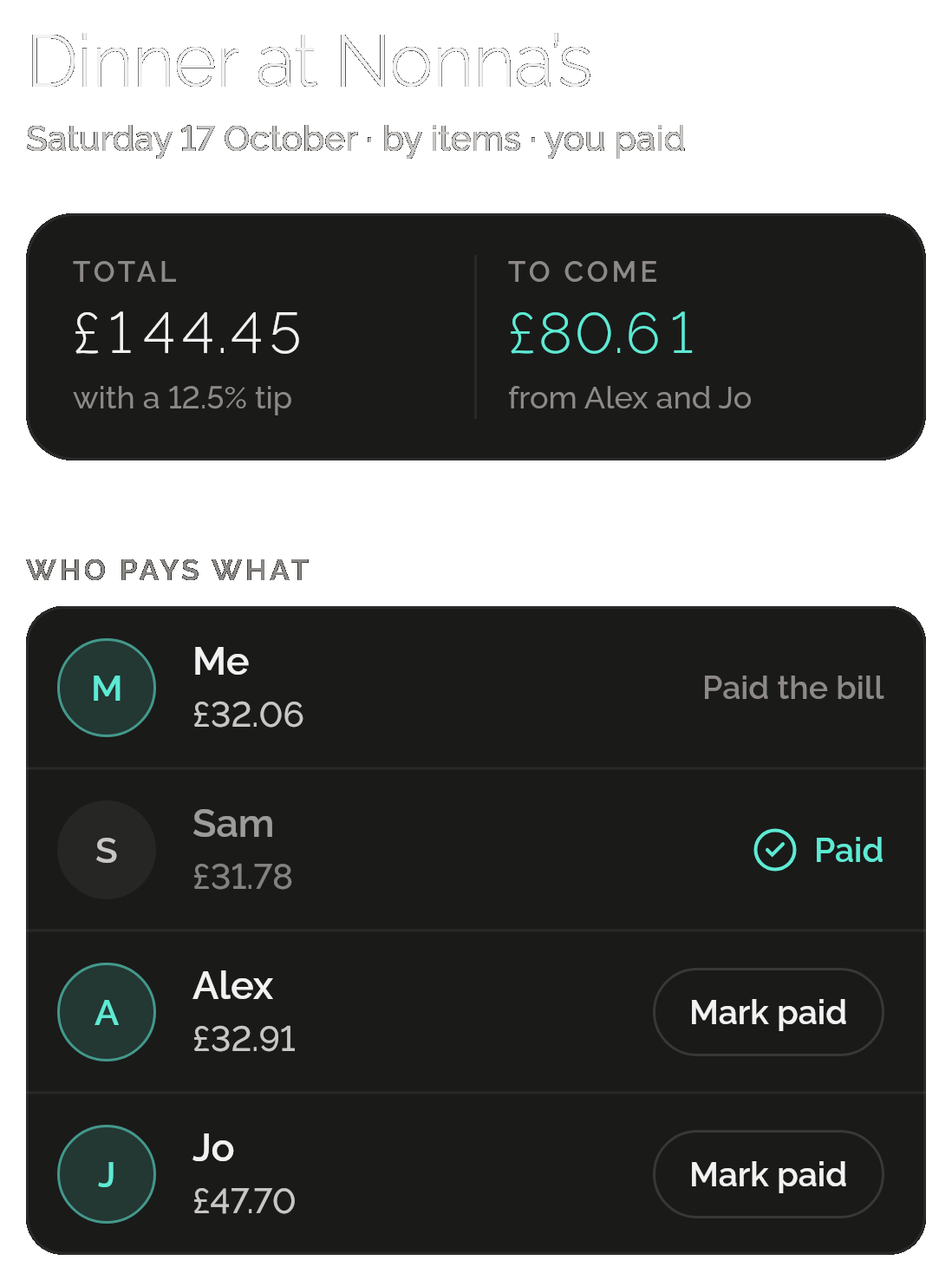
A saved split, Dinner at Nonna’s, Saturday 17 October, by items, you paid: a total of £144.45 with a 12.5% tip and £80.61 to come from Alex and Jo; Me £32.06 paid the bill, Sam £31.78 paid, and Alex £32.91 and Jo £47.70 each with Mark paid.

Only want a bill splitter? That’s all you get.

Split lives inside Shadowkit, an app that starts empty. You add the skills you want, and no others come with them.

  1. Install Shadowkit

    Free on Google Play. No account, nothing to sign up for.

  2. Add Split

    Tap “Add your first skill” and pick Split.

  3. That’s your whole app

    No other skill is added. Add one later, or never.

Free, and Pro

Free

  • Work out any bill: every mode, up to 50 people and 200 items
  • Round each up, every currency and Share
  • Ticking off who has paid
  • 3 open splits saved per profile; settled ones don’t count
  • Back up the whole app, splits included, to one file

Pro

  • Unlimited open splits

Split earns no gems: a bill comes when it comes, and no week should ask for one. If Pro ends, nothing you made is deleted.

What it keeps on your phone

  • What it keeps

    The splits you save, in the profile you made them in: each one’s name, currency, bill or items, tip, any tax or fee, the people’s names and shares, who paid the bill and who has paid back.

  • Permissions

    None. Share uses your phone’s own share sheet.

  • Works offline

    Every part of Split works without a connection, on Android now and on iPhone when it comes. Share hands plain text to your phone’s share sheet, and it goes only where you choose.

Privacy policy

Questions

Can I split a bill when people had different things?

Yes. Choose By items, add each item with its price and tap it to say who had it. An item with nobody named is everyone’s. The tip and any tax or fee are shared in proportion to what each person had.

Is the tip worked out on a tax or service fee?

No. By items, the tip is worked out on the items’ prices, not on a tax or fee you add. Evenly and by shares, it’s worked out on the bill you type.

Can I use another currency?

Yes. Each split has one currency, your phone’s own to start with, and you can pick another from a list of 51. Changing it keeps the figures you typed; Split doesn’t convert between currencies.

How many splits can I save for free?

Three open splits per profile: saved splits someone still owes on. Settled splits don’t count, and working out a bill without saving it is free. Shadowkit Pro removes the limit.

Does Split send payment requests?

No. Split works out who owes what and keeps the list; it doesn’t move money or message anyone. Share sends the split as plain text through your phone’s own share sheet, wherever you choose.

Guides

All posts

Start with Split.

Every bill free, with 3 open splits saved. No account, no sign-up, and it works without a connection.

Android now, iPhone soon

Add more when you want them

Goes with Split in “Money, to the penny”

Money

Log expenses, income and transfers in seconds, and see where it goes.

More about Money
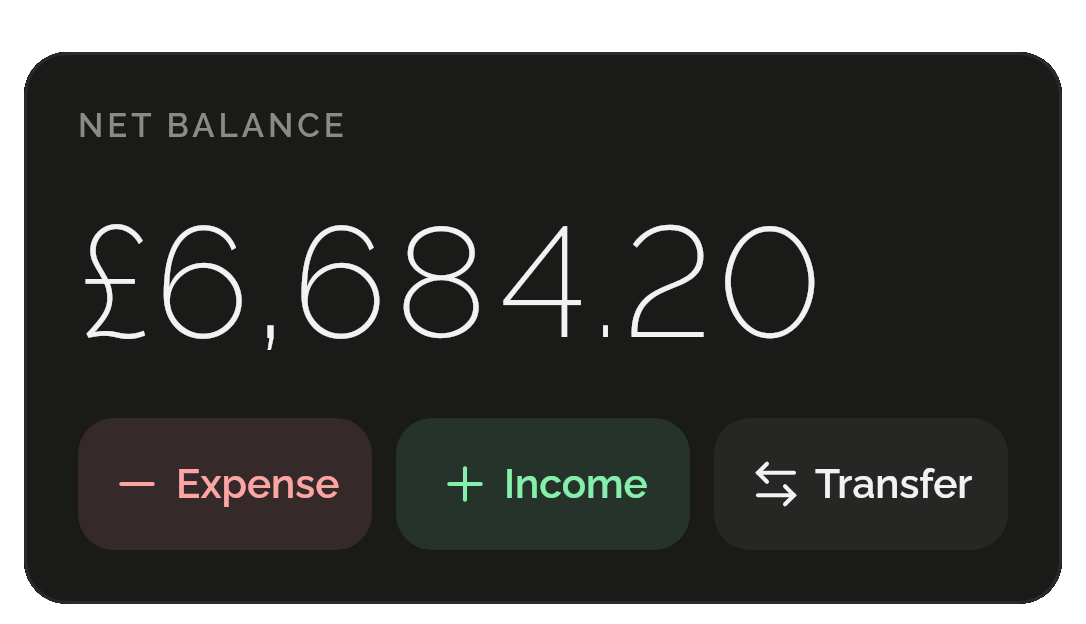
Money’s balance card: a net balance of £6,684.20, with Expense, Income and Transfer buttons.
All skills

Get Shadowkit

Scan with your Android phone’s camera, or tap Google Play. iPhone is coming soon.Tap Google Play to get it. iPhone is coming soon.

iOS

App Store

Android

Google Play