Shadowkit Money: Offline expense tracker for Android

Know where your money goes.

Money is an offline expense tracker: log expenses, income and transfers in seconds, across the accounts and currencies you keep. No bank link and no sign-up.

It installs Shadowkit, which starts empty: add Money and nothing else.

  • Free for 3 accounts
  • No account
  • Works offline
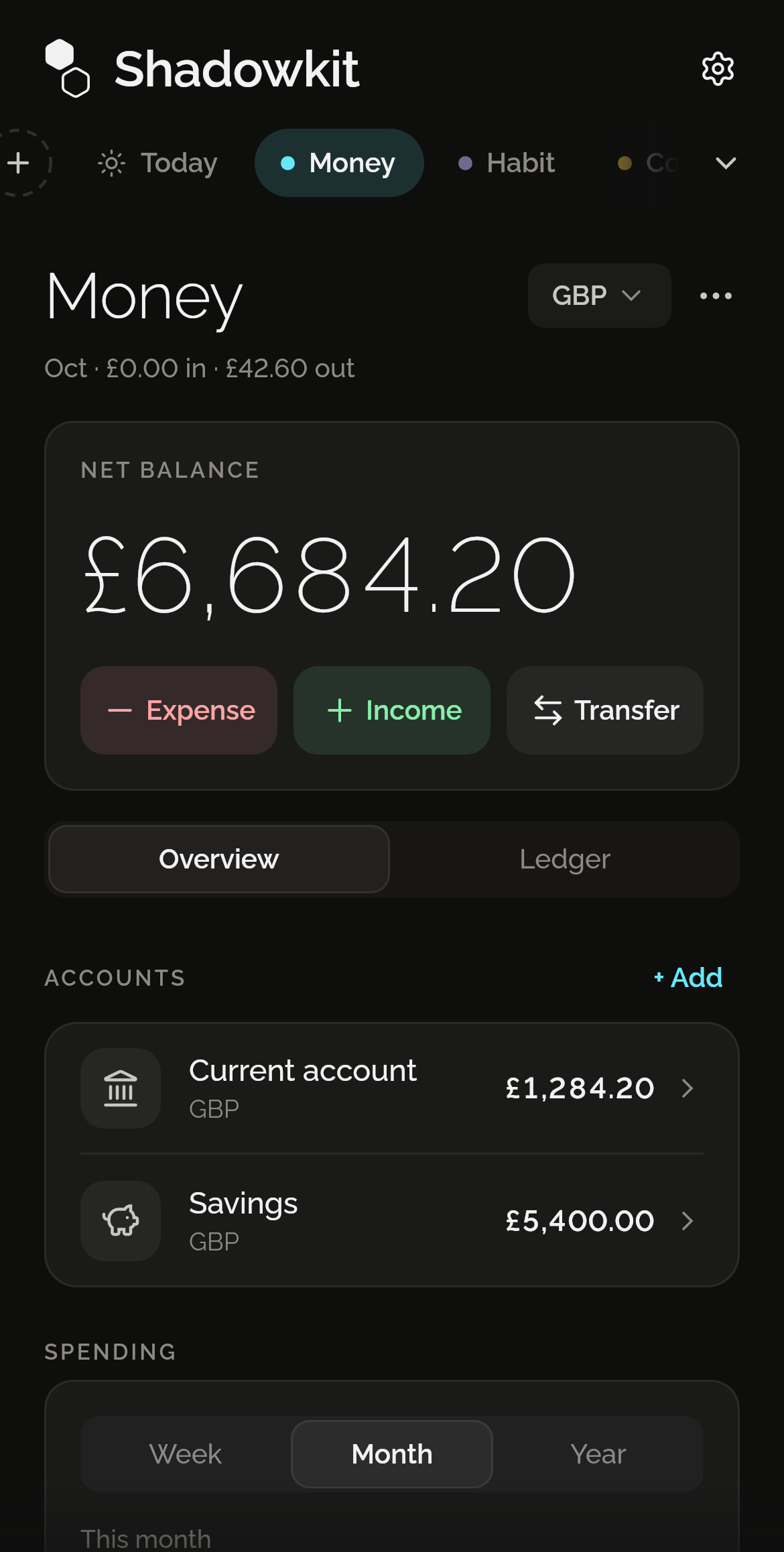
Shadowkit Money’s page on Home: a net balance of £6,684.20 with Expense, Income and Transfer, the Overview and Ledger tabs, and two accounts.

Logged in seconds

Type the amount, pick the account and the category, and save. Expense, Income and Transfer sit under your balance on Money’s page on Home.
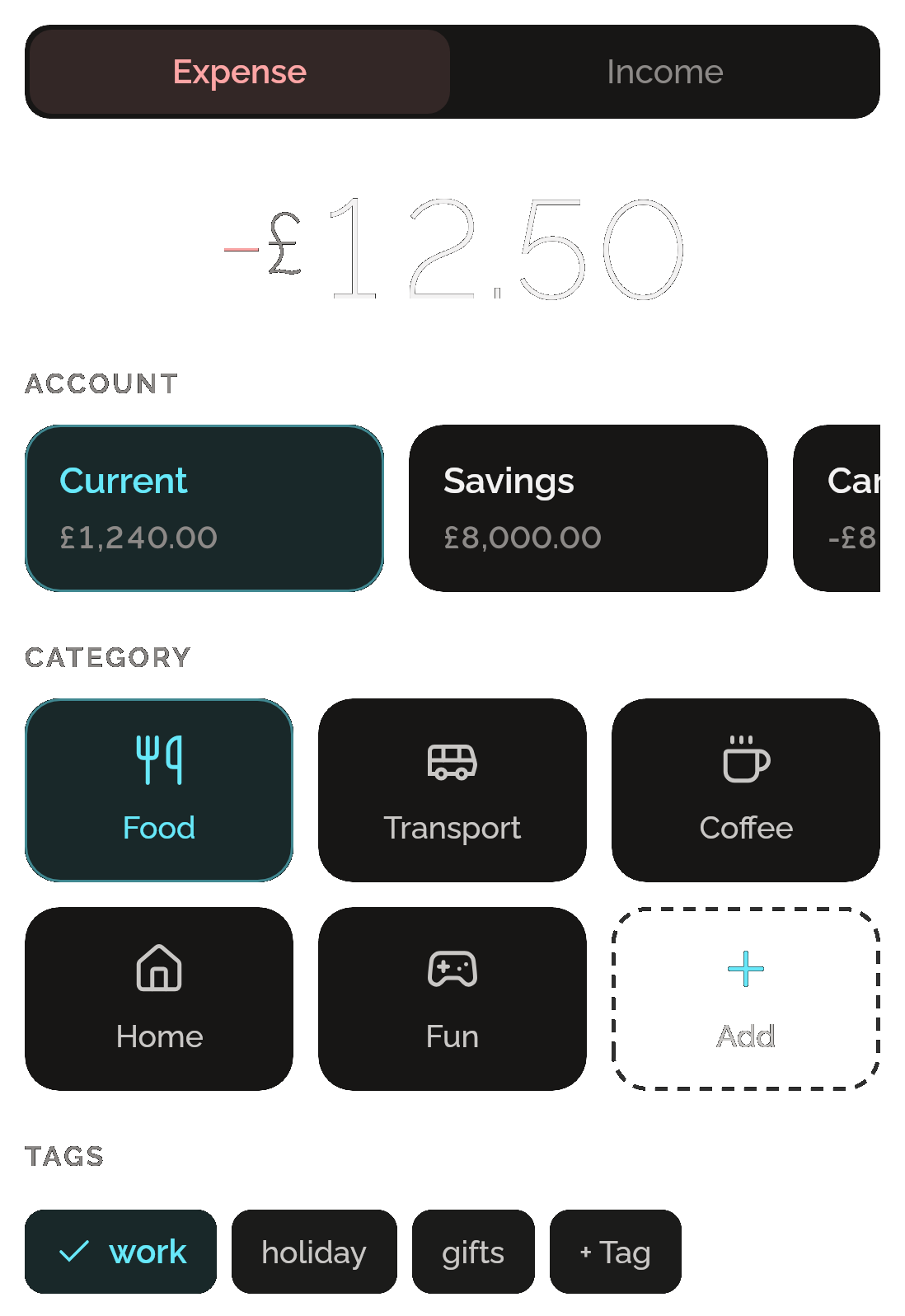
Money’s New expense page: Expense selected, −£12.50, the Current account chosen beside Savings, Food chosen among Transport, Coffee, Home, Fun and an Add tile, and the tag work ticked beside holiday, gifts and + Tag.

See where it goes

Your spending this week, this month or this year as bars, then your top four categories or tags, each with its share.
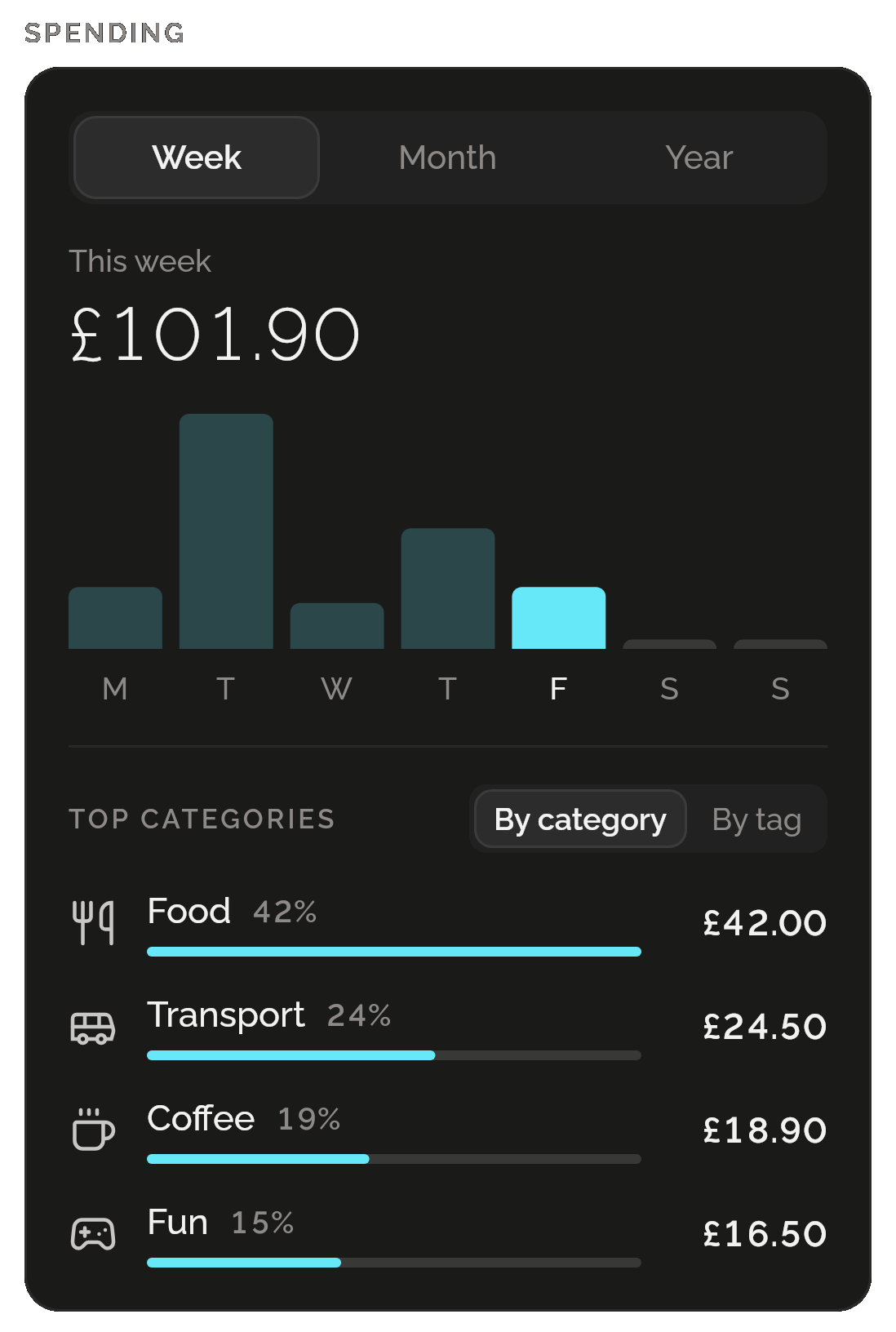
Money’s Spending card: this week £101.90 as daily bars from Monday to Sunday with Friday highlighted, then the top categories: Food 42% £42.00, Transport 24% £24.50, Coffee 19% £18.90 and Fun 15% £16.50.

Every account, every currency

Bank, savings, cash and card accounts, each in its own currency. You type the rates, totals show in your main currency, and a transfer between currencies keeps what actually arrived.
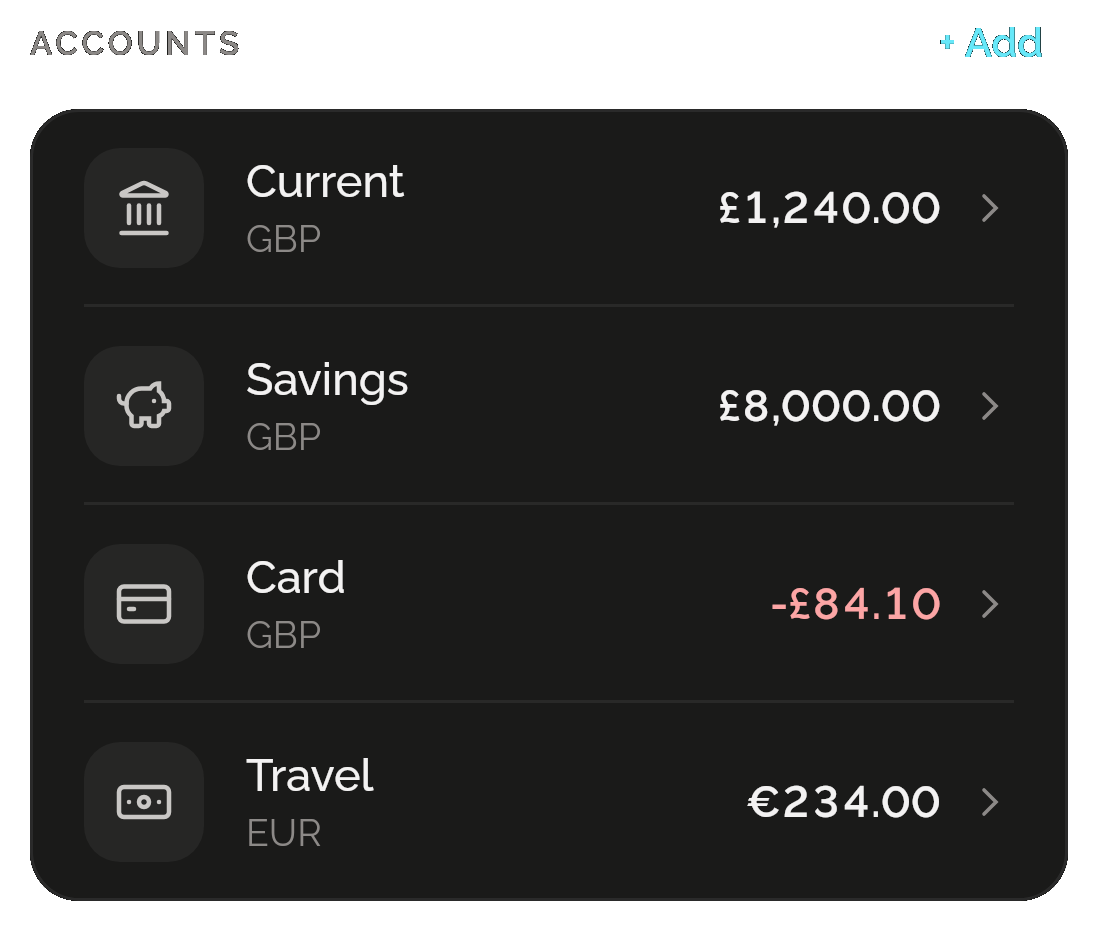
Money’s accounts: Current £1,240.00, Savings £8,000.00 and Card −£84.10 in pounds, and Travel €234.00 in euros.

Every day in the ledger

Each day’s entries under the day’s total: all of them, or just expenses or income. Deleted something by mistake? Undo.
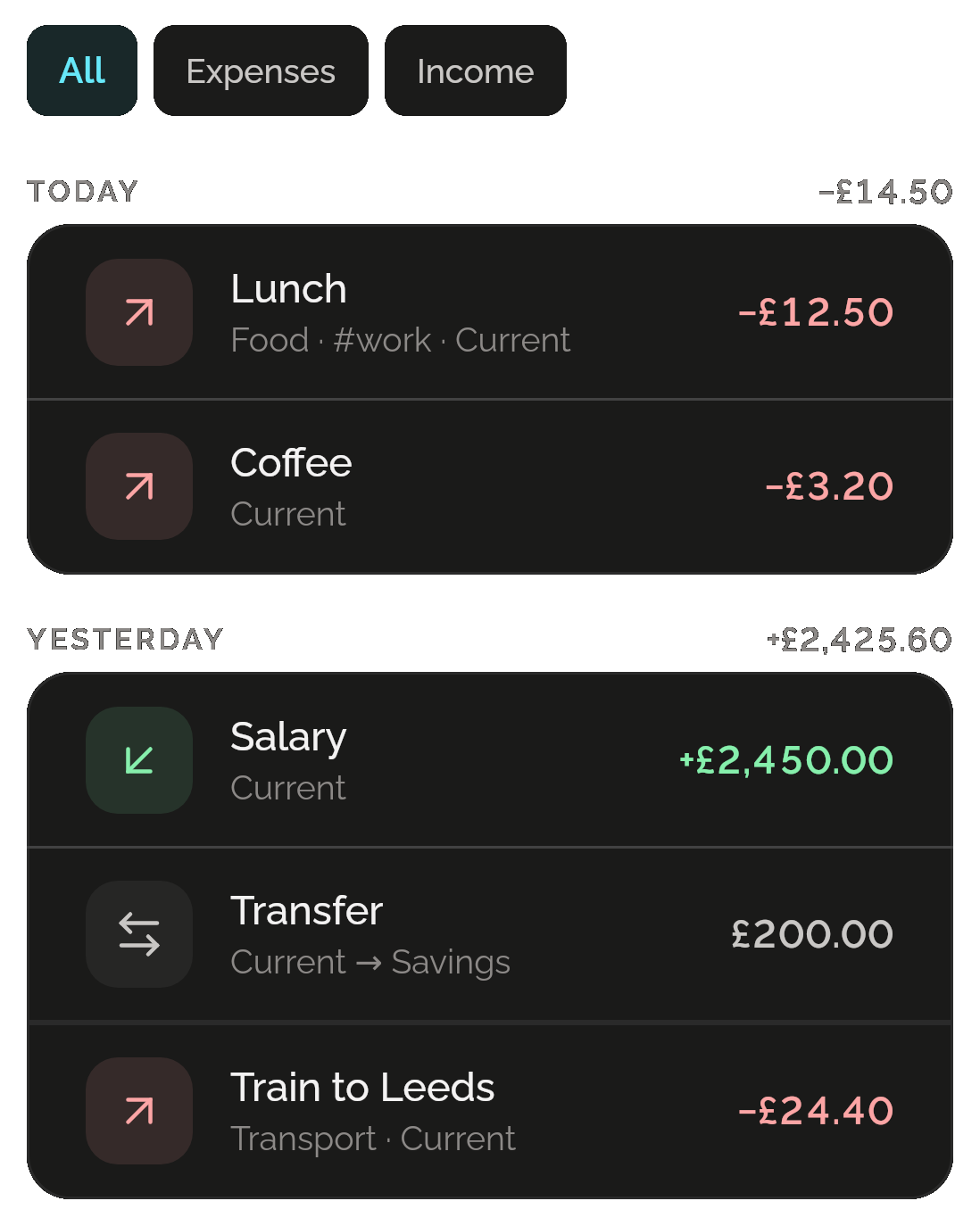
Money’s ledger with All, Expenses and Income: today −£14.50, with Lunch −£12.50 and Coffee −£3.20; yesterday +£2,425.60, with Salary +£2,450.00, a £200.00 transfer from Current to Savings and Train to Leeds −£24.40.

Bring your bank’s history

Import the CSV your bank exports, read on your phone. The columns are matched for you to check, rows you already have are skipped, and the whole import can be undone.
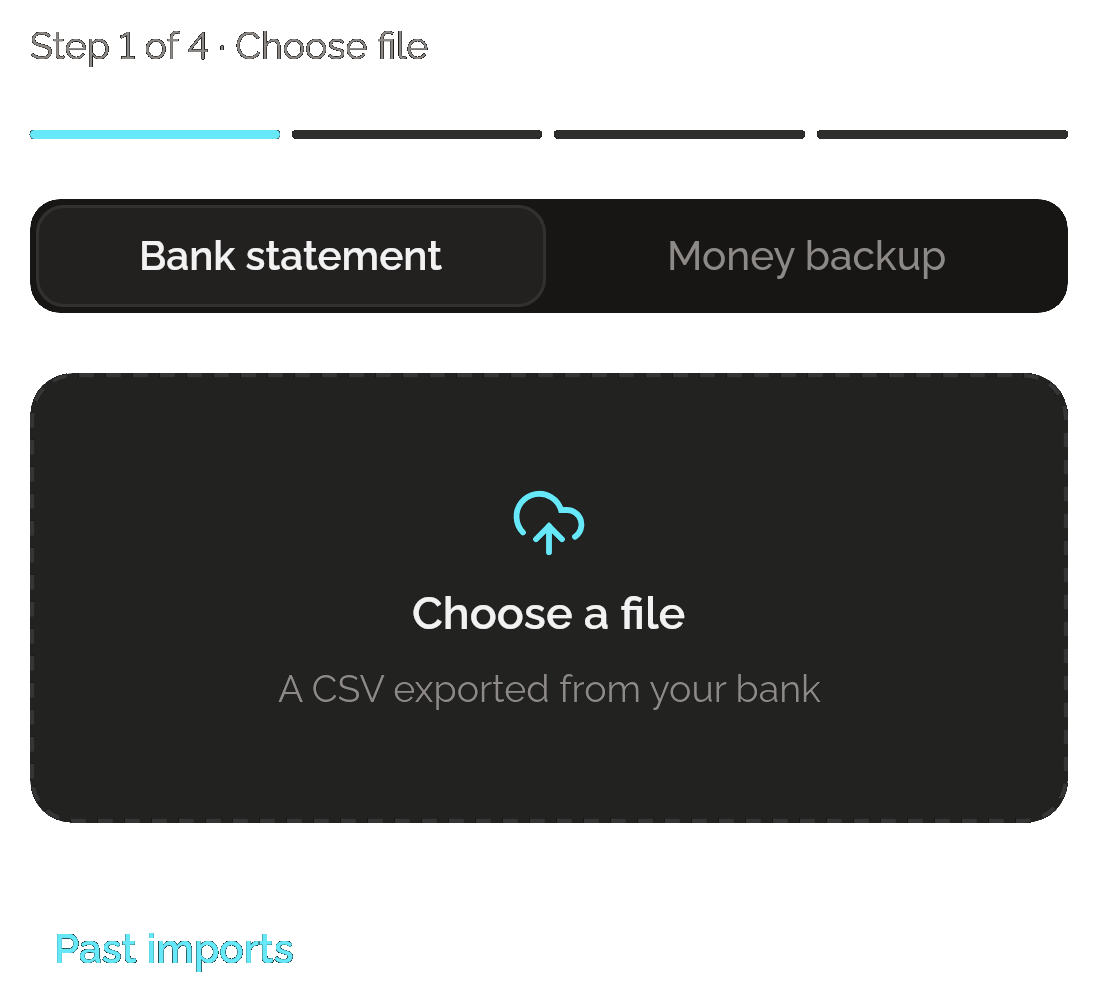
Money’s Import, step 1 of 4: Bank statement or Money backup, Choose a file for a CSV exported from your bank, and Past imports.

Yours to take away

A JSON backup of Money is free. CSV for spreadsheets and PDF reports come with Pro. Nothing leaves your phone until you share it.

PRO FOR CSV AND PDF
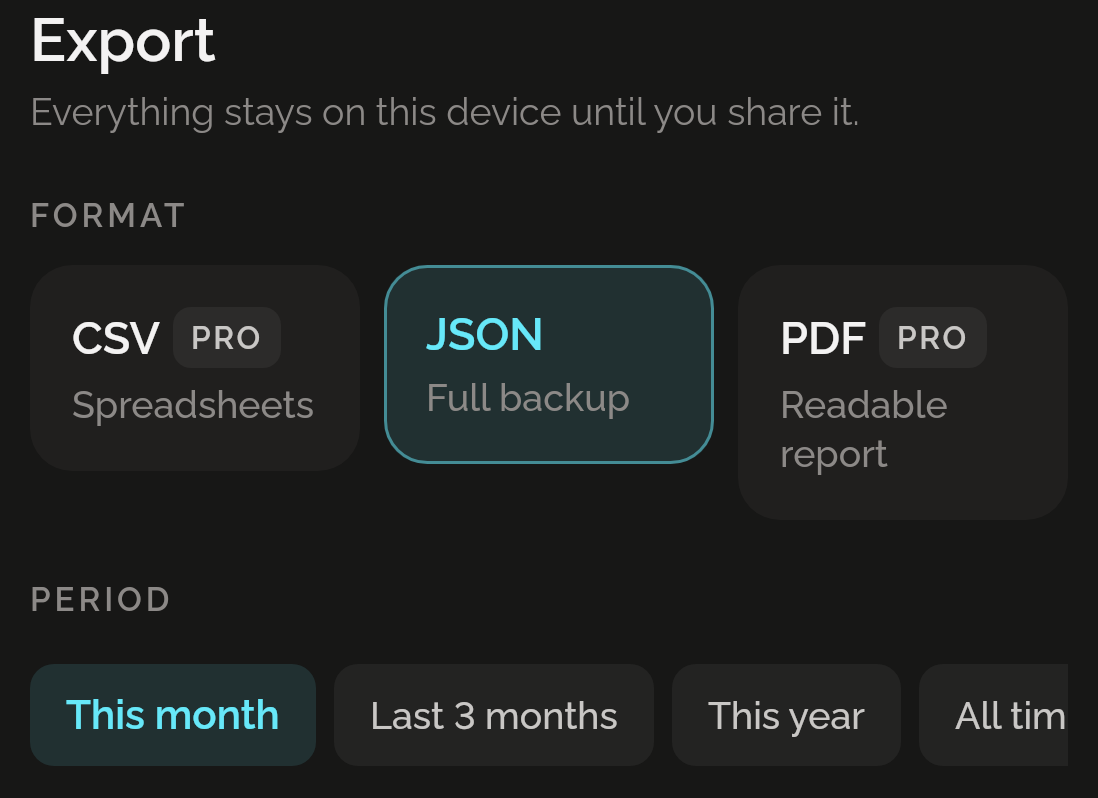
Money’s Export: “Everything stays on this device until you share it”, CSV and PDF marked Pro beside JSON, a full backup, selected, and the periods This month, Last 3 months, This year and All time.

Only want an expense tracker? That’s all you get.

Money lives inside Shadowkit, an app that starts empty. You add the skills you want, and no others come with them.

  1. Install Shadowkit

    Free on Google Play. No account, nothing to sign up for.

  2. Add Money

    Tap “Add your first skill” and pick Money.

  3. That’s your whole app

    No other skill is added. Add one later, or never.

ANDROID

On your home screen

Five widgets for your Android home screen. Balance is free; the other four come with Pro.

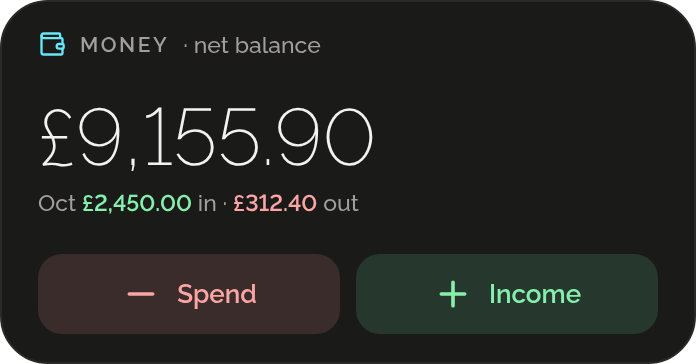
  • Money’s Balance widget: a net balance of £9,155.90, October’s £2,450.00 in and £312.40 out, and Spend and Income buttons.

    BalanceFREE

  • Money’s Quick add widget: a minus and a plus button.

    Quick add

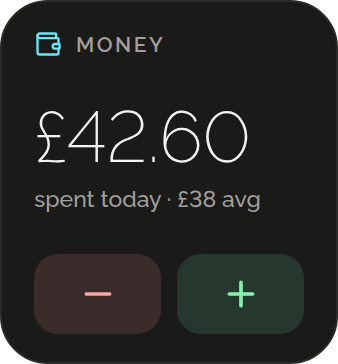
  • Money’s Today widget: £42.60 spent today against a £38 average, with minus and plus buttons.

    Today

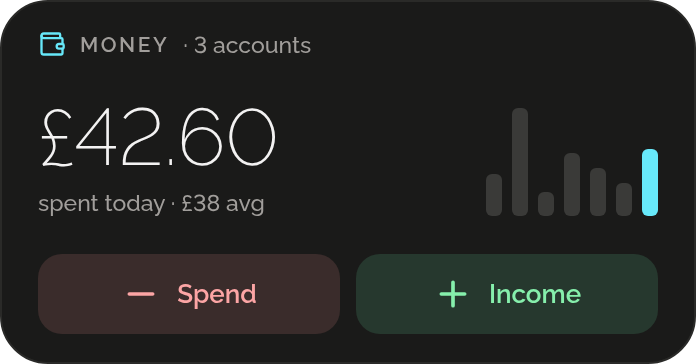
  • Money’s Week widget for 3 accounts: £42.60 spent today against a £38 average, a bar for each day of the week, and Spend and Income buttons.

    Week

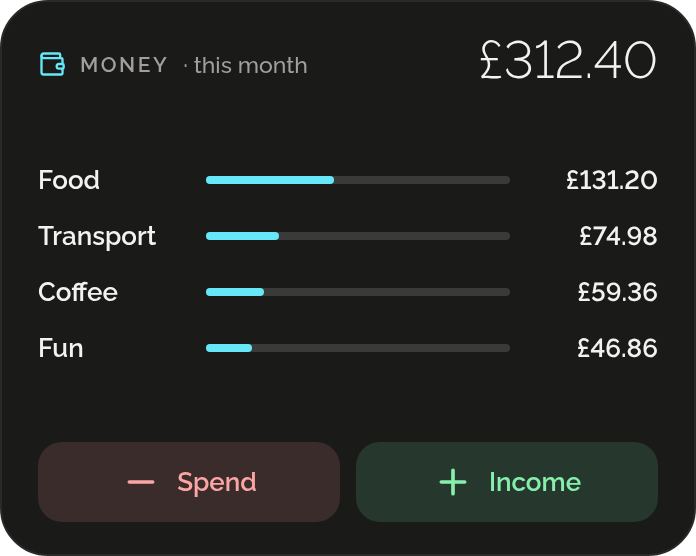
  • Money’s Month by category widget: £312.40 this month, with Food £131.20, Transport £74.98, Coffee £59.36 and Fun £46.86 as bars, and Spend and Income buttons.

    Month by category

Free, and Pro

Free

  • 3 accounts per profile
  • Unlimited categories and currencies
  • The spending chart, breakdowns and the ledger
  • Bank CSV import
  • JSON backup and restore
  • The Balance widget (Android)
  • Back up the whole app to one file

Pro

  • Unlimited accounts
  • Create tags
  • CSV and PDF export
  • All five widgets (Android)

Log something by hand on five days of a week and Money earns a gem; imported rows don’t count. If Pro ends, nothing you made is deleted.

What it keeps on your phone

  • What it keeps

    Your accounts, transactions, categories, tags and currencies, and your past imports, in your profile, on your phone.

  • Permissions

    None. Money asks for no permission.

  • Works offline

    Rates are the ones you type. Nothing is fetched, and nothing logs in to your bank. On iPhone it’s the same, without the home-screen widgets.

Privacy policy

Questions

Does Money connect to my bank?

No. Money has no bank connection, and Shadowkit works offline. Import the CSV your bank exports instead: it’s read on your phone, and your bank login stays yours.

Can I use more than one currency?

Yes. Give each account its own currency and type the rates you use. Totals show in your main currency at the rates you’ve set, so changing a rate changes past totals too. A transfer between currencies keeps what actually arrived.

What’s free?

Up to 3 accounts per profile, unlimited categories and currencies, the spending chart, the ledger, bank CSV import and the JSON backup. Pro adds unlimited accounts, new tags, CSV and PDF export, and four more widgets on Android.

Is it on iPhone too?

Shadowkit is on Android now, and Money will work the same on iPhone when it comes. Its home-screen widgets are on Android only.

Can I undo an import?

Yes. Undo it from the import’s last step or from Past imports. Every transaction it added goes, edited or not, with the accounts, categories and tags it created that nothing else uses.

Guides

All posts

Start with Money.

Free for 3 accounts. No account, no sign-up, and it works without a connection.

Android now, iPhone soon

Add more when you want them

Goes with Money in “Money, to the penny”

Split

Evenly, by who had what or by shares, with the tip shared fairly.

More about Split
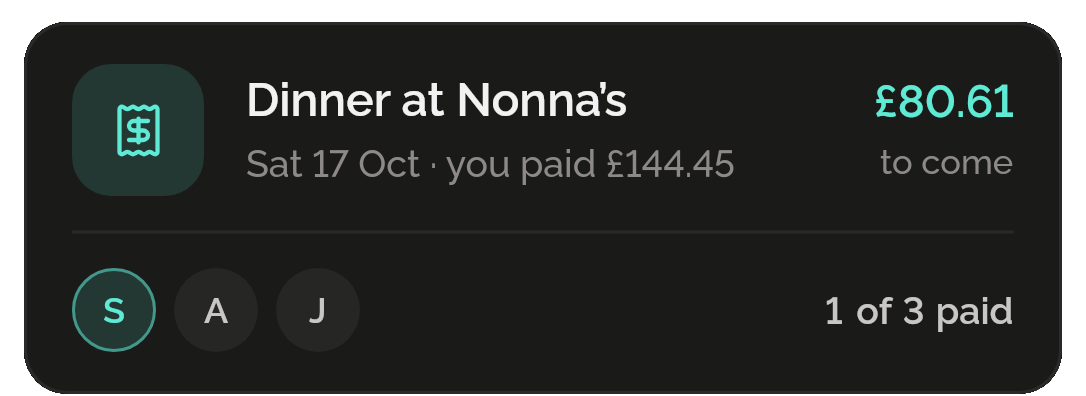
A split in Split: Dinner at Nonna’s on Saturday 17 October, where you paid £144.45, with £80.61 to come back and 1 of 3 people paid.
All skills

Get Shadowkit

Scan with your Android phone’s camera, or tap Google Play. iPhone is coming soon.Tap Google Play to get it. iPhone is coming soon.

iOS

App Store

Android

Google Play