Shadowkit Notes: Notes and checklists for Android

Write it down, tick it off.

Keep quick notes and checklists on your phone, saved as you type. Tick items off right on Notes’ page, search every line, and send any note as plain text.

It installs Shadowkit, which starts empty: add Notes and nothing else.

  • Free for 20 notes
  • No account
  • Works offline
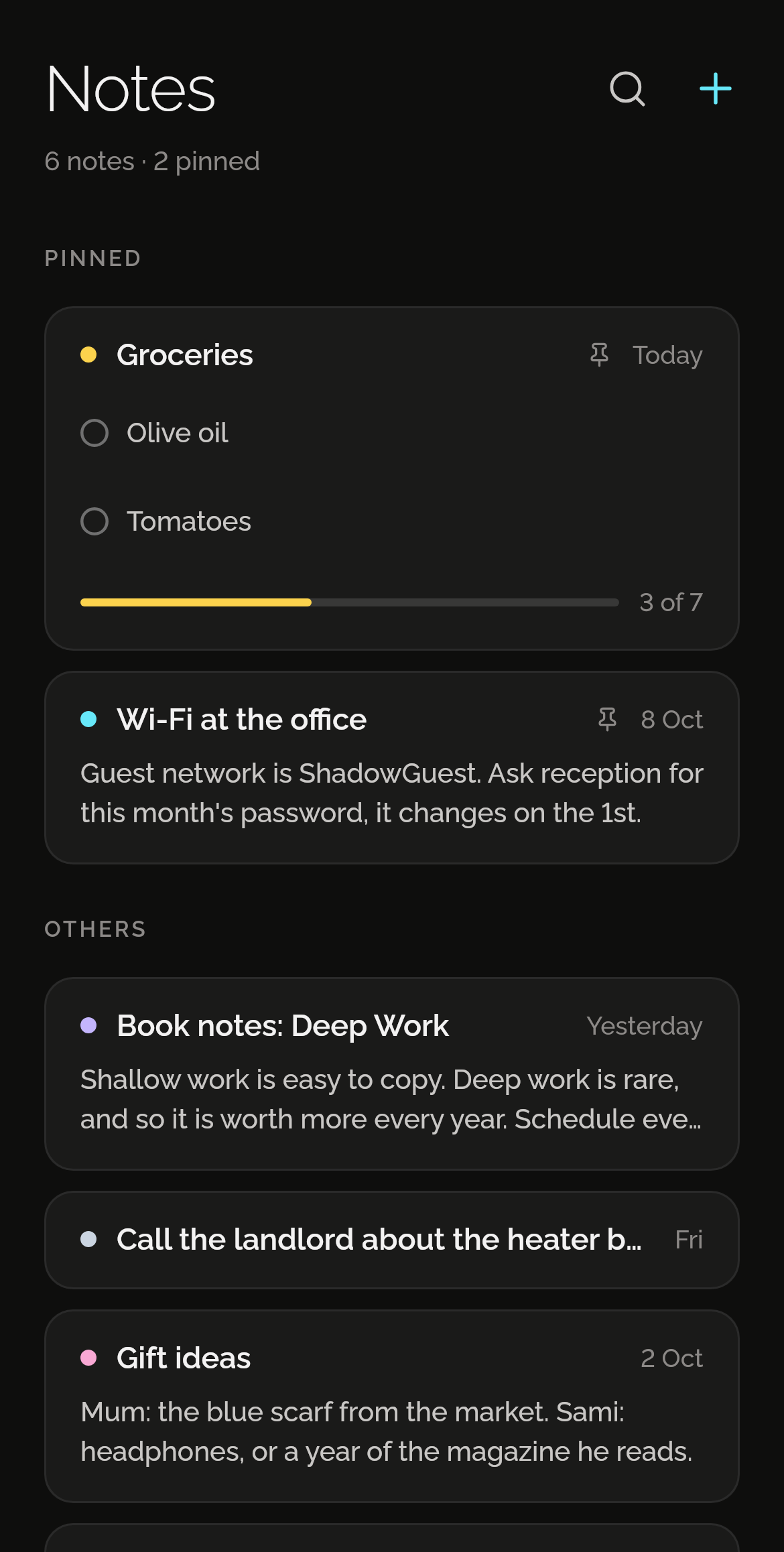
Shadowkit Notes’ page: pinned notes first, a Groceries checklist with 3 of 7 ticked and Wi-Fi at the office, then other notes such as Book notes: Deep Work.

Text or a checklist

Type your groceries as lines, then turn the note into a checklist: each line becomes an item. Ticked items drop into a Done group, struck through, and Untick all starts the list again.
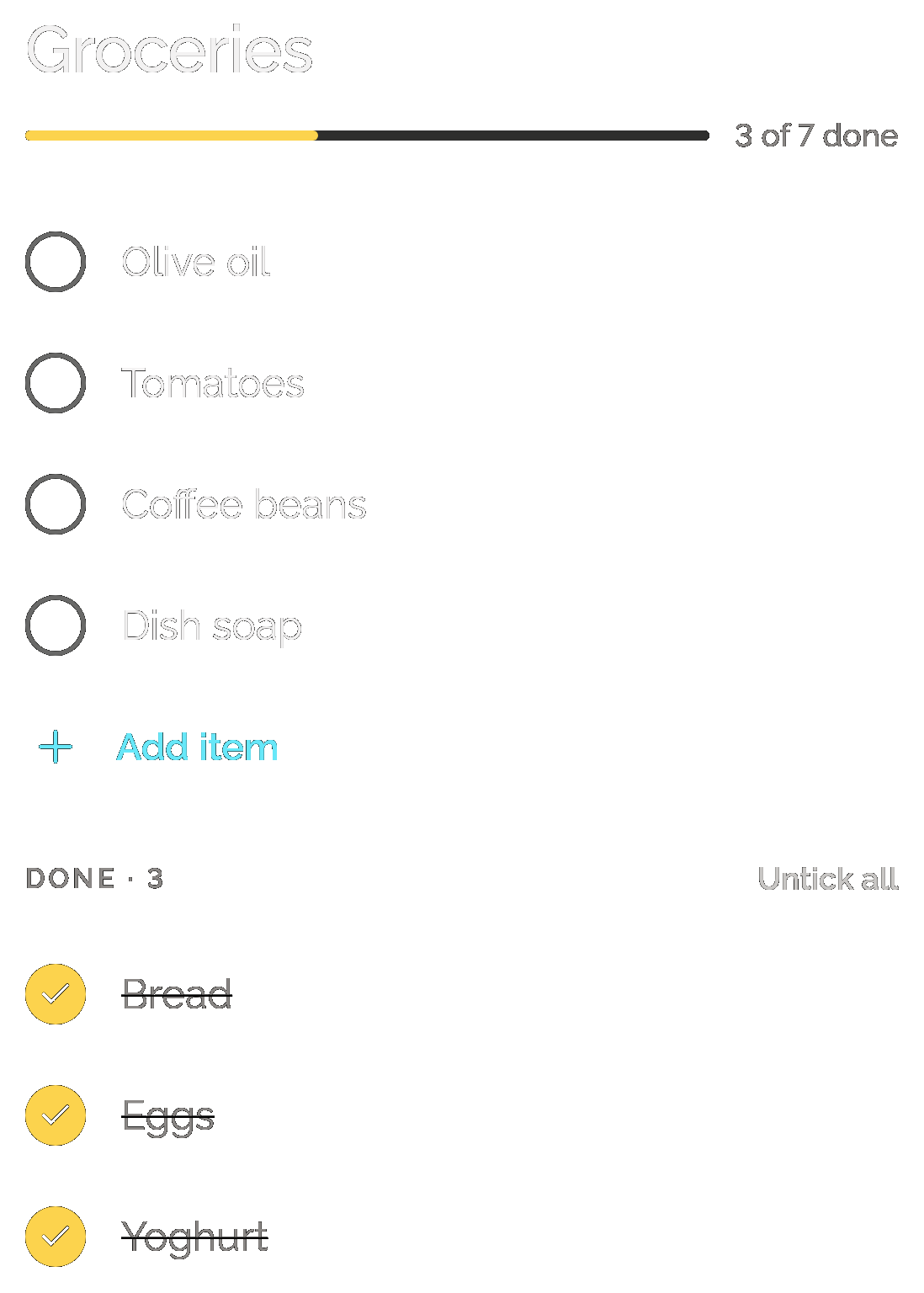
A Groceries checklist, 3 of 7 done: Olive oil, Tomatoes, Coffee beans and Dish soap still open above Add item, and Bread, Eggs and Yoghurt ticked and struck through under Done · 3, with Untick all.

Tick off right on Home

Notes has its own page on Home, pinned notes first. A checklist’s card shows its first two open items and how many are done, so you can tick them without opening the note.
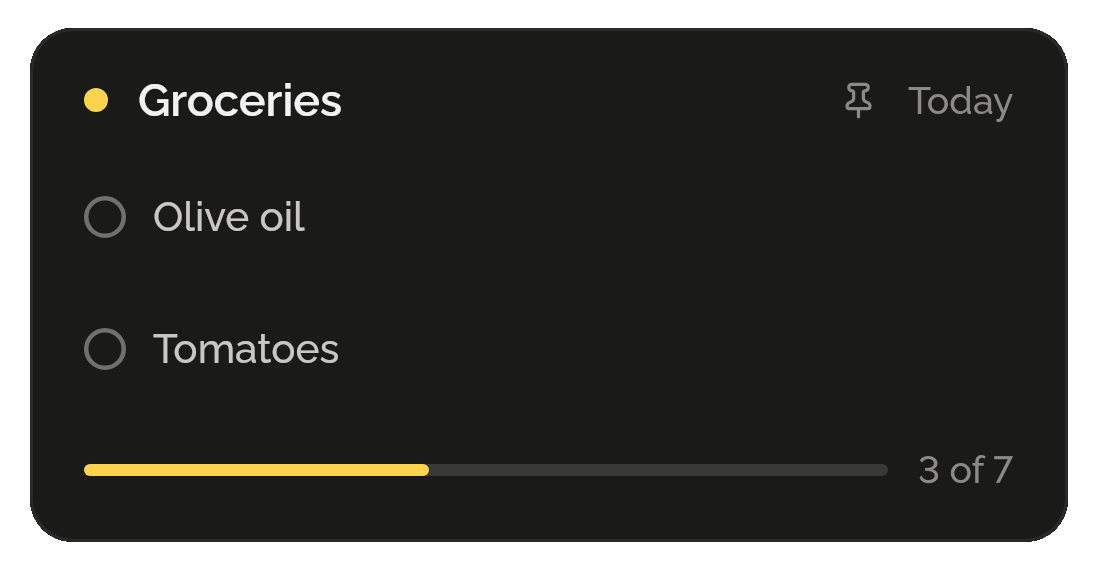
A pinned Groceries checklist card, edited today, with Olive oil and Tomatoes still open and a bar at 3 of 7.

No Save button

A note is stored a moment after you stop typing, and again when you leave it or switch apps. A note you leave empty is removed, not kept as clutter.
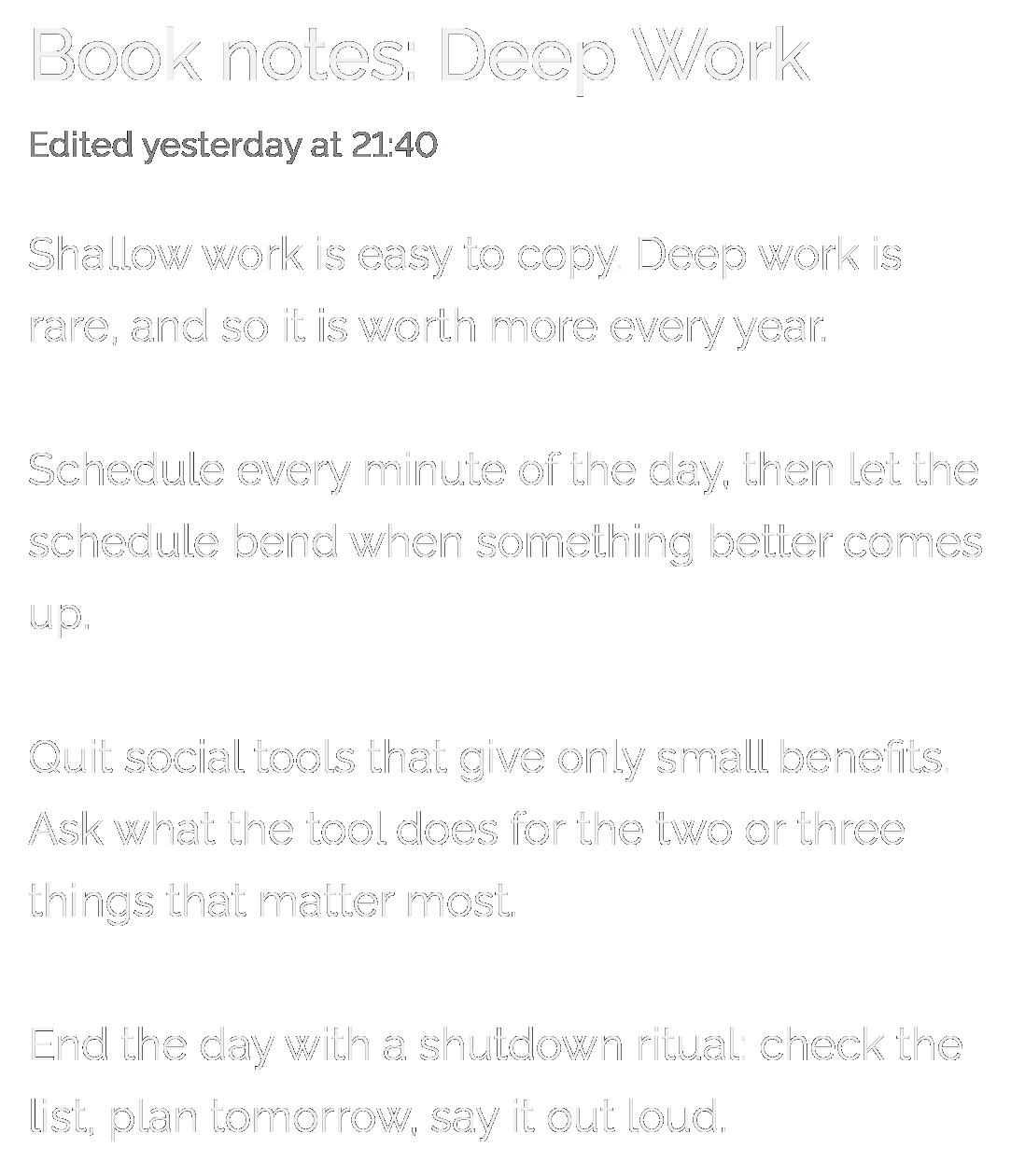
A text note, Book notes: Deep Work, edited yesterday at 21:40, with four short paragraphs beginning “Shallow work is easy to copy.”

Search every line

Search looks through titles, text and every checklist item, ticked or not, and marks the match in each result.
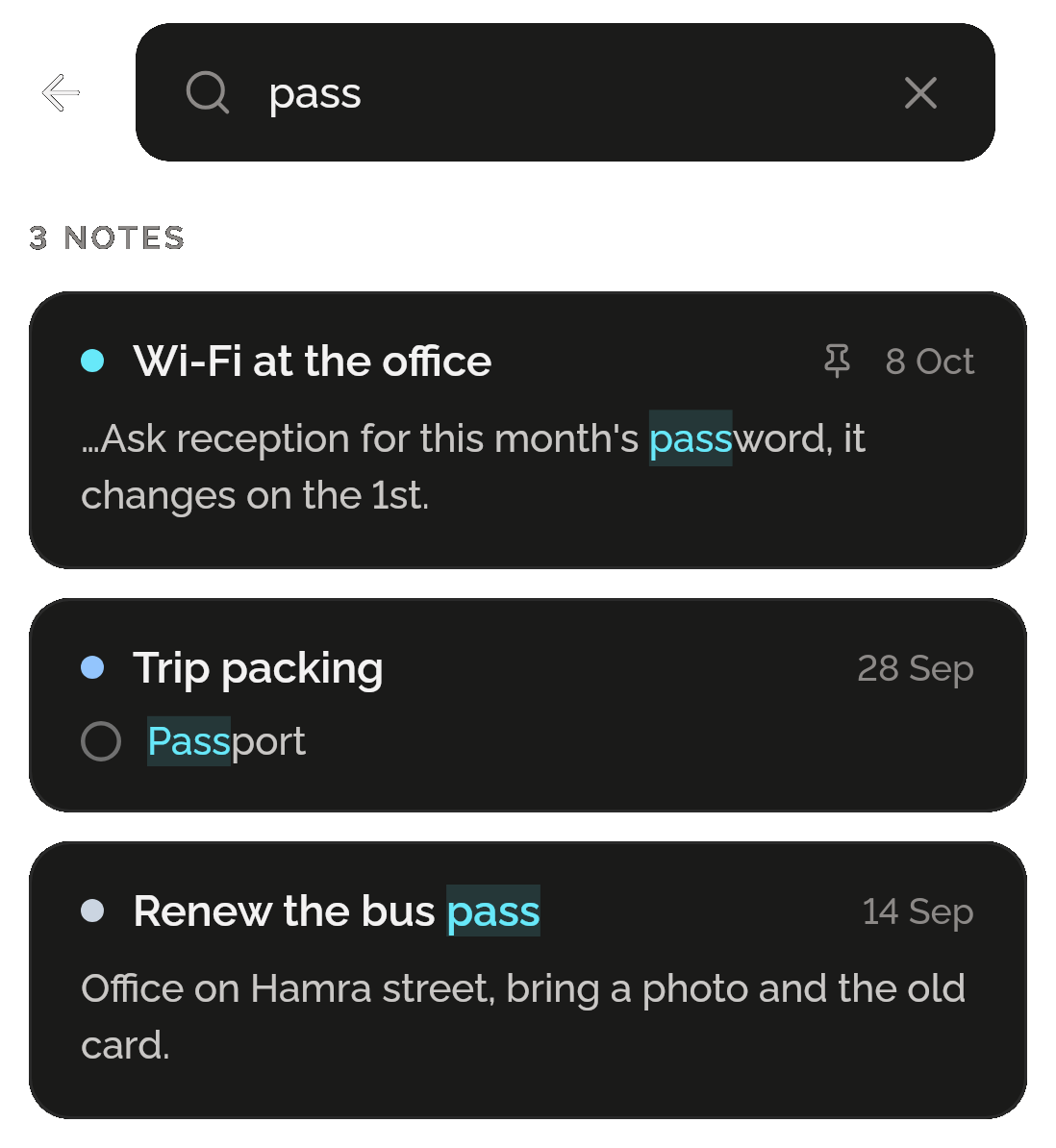
A search for “pass” in Notes finding 3 notes: Wi-Fi at the office, in the word password; Trip packing, in the item Passport; and Renew the bus pass, each match highlighted.

Pin, colour, share

Pin the notes you need to the top and give each one of six colours. Share as text sends a note to the app you choose, a checklist as [ ] and [x] lines.
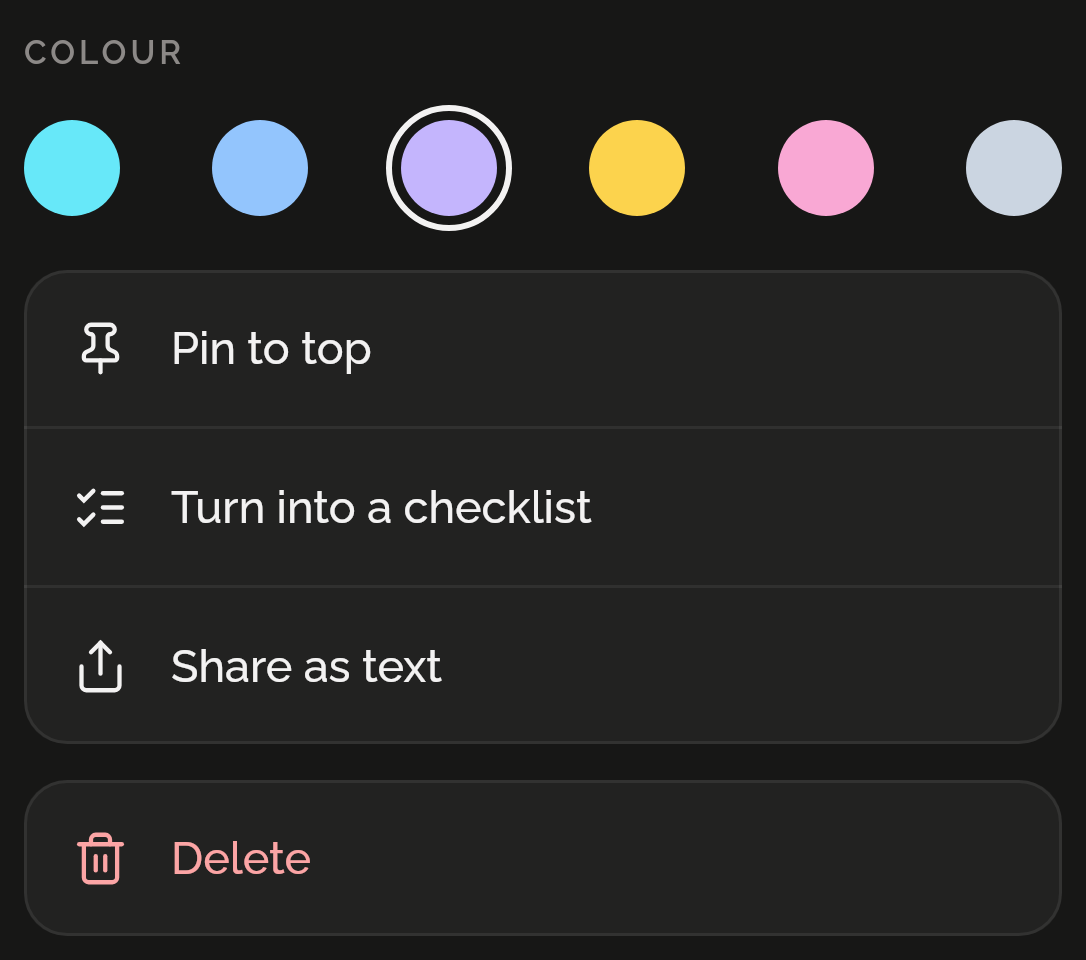
A note’s menu: six colours with violet chosen, then Pin to top, Turn into a checklist, Share as text and Delete.

Only want notes and checklists? That’s all you get.

Notes lives inside Shadowkit, an app that starts empty. You add the skills you want, and no others come with them.

  1. Install Shadowkit

    Free on Google Play. No account, nothing to sign up for.

  2. Add Notes

    Tap “Add your first skill” and pick Notes.

  3. That’s your whole app

    No other skill is added. Add one later, or never.

Free, and Pro

Free

  • 20 notes per profile, text or checklist
  • Checklists, colours, pinning, search and Share as text
  • Back up every note, with the rest of the app, to one file, and restore it

Pro

  • Unlimited notes

Add a note on three days of a week and Notes earns a gem; editing a note doesn’t count. If Pro ends, nothing you made is deleted.

What it keeps on your phone

  • What it keeps

    Your notes and checklists, each with its title, colour, pin, ticks and when it was created and last edited, kept apart for each profile.

  • Permissions

    None. Notes asks for no permission.

  • Works offline

    Every part of Notes works without a connection, on Android now and on iPhone when it comes. A note leaves your phone only when you share it and pick where it goes.

Privacy policy

Questions

Can I tick off a checklist without opening the note?

Yes. On Notes’ page on Home, a checklist’s card shows its first two open items. Tick one there and the next open item takes its place.

How many notes can I keep for free?

20 notes per profile, text or checklist, pinned or not. Checklists, colours, pinning, search and sharing are all free. Shadowkit Pro removes the limit. If Pro ends, every note still opens, edits, ticks and shares; only adding a new one stops.

Is there a Save button?

No. A note is stored a moment after you stop typing, and again when you leave the note or the app goes to the background.

Can I share a checklist with someone?

Use Share as text. It hands the note to your phone’s share sheet, so you can send it in a message or an email, one item a line, [ ] for open and [x] for ticked. There is no sync, so a shared list doesn’t update itself.

Can I pin a note to my notifications?

Not from Notes. Notify’s pins keep your own words in the notification shade, on Android only.

Guides

All posts

Start with Notes.

Free for 20 notes. No account, no sign-up, and it works without a connection.

Android now, iPhone soon

Add more when you want them

Goes with Notes in “Write it down”

Journal

What happened and how it felt, with each day’s mood on a calendar.

More about Journal
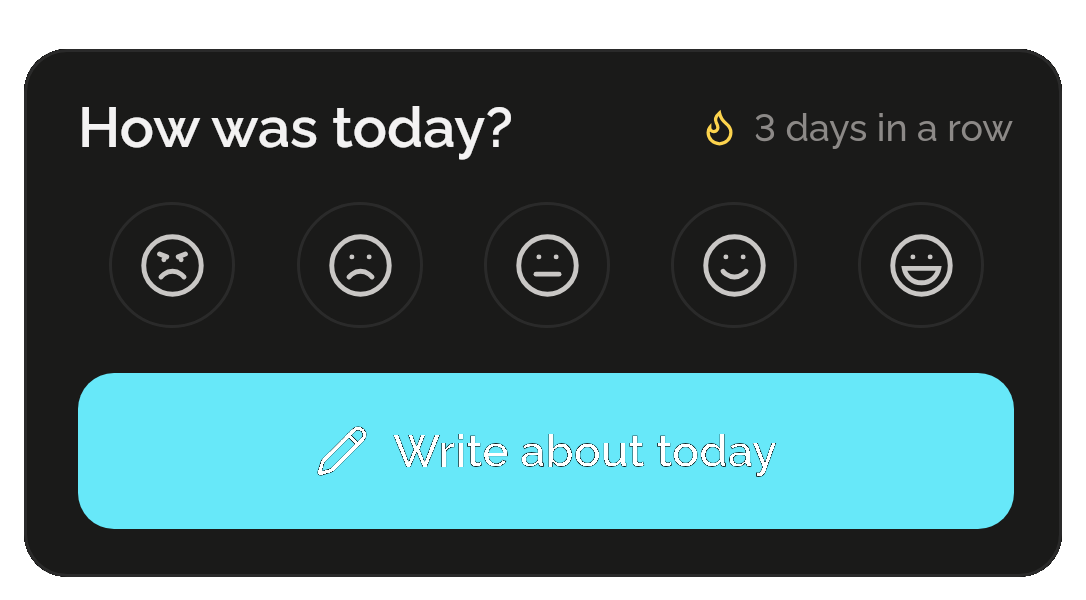
Journal’s card for today: How was today? with five mood faces from awful to great, 3 days in a row, and a Write about today button.
All skills

Get Shadowkit

Scan with your Android phone’s camera, or tap Google Play. iPhone is coming soon.Tap Google Play to get it. iPhone is coming soon.

iOS

App Store

Android

Google Play