Now on Linux · free

Reminders, on your computer.

Reminders that read as a sentence and arrive with the window closed, and pins for what you need in view. The phone’s Notify, on Linux: offline, free, no account.

  • On Linux now
  • Free, with no limit
  • Stays on this computer
Download for Linux

Version 0.4.0 · .deb, 63 MB · Ubuntu 22.04+ and Debian 12+

Every release and its checksum
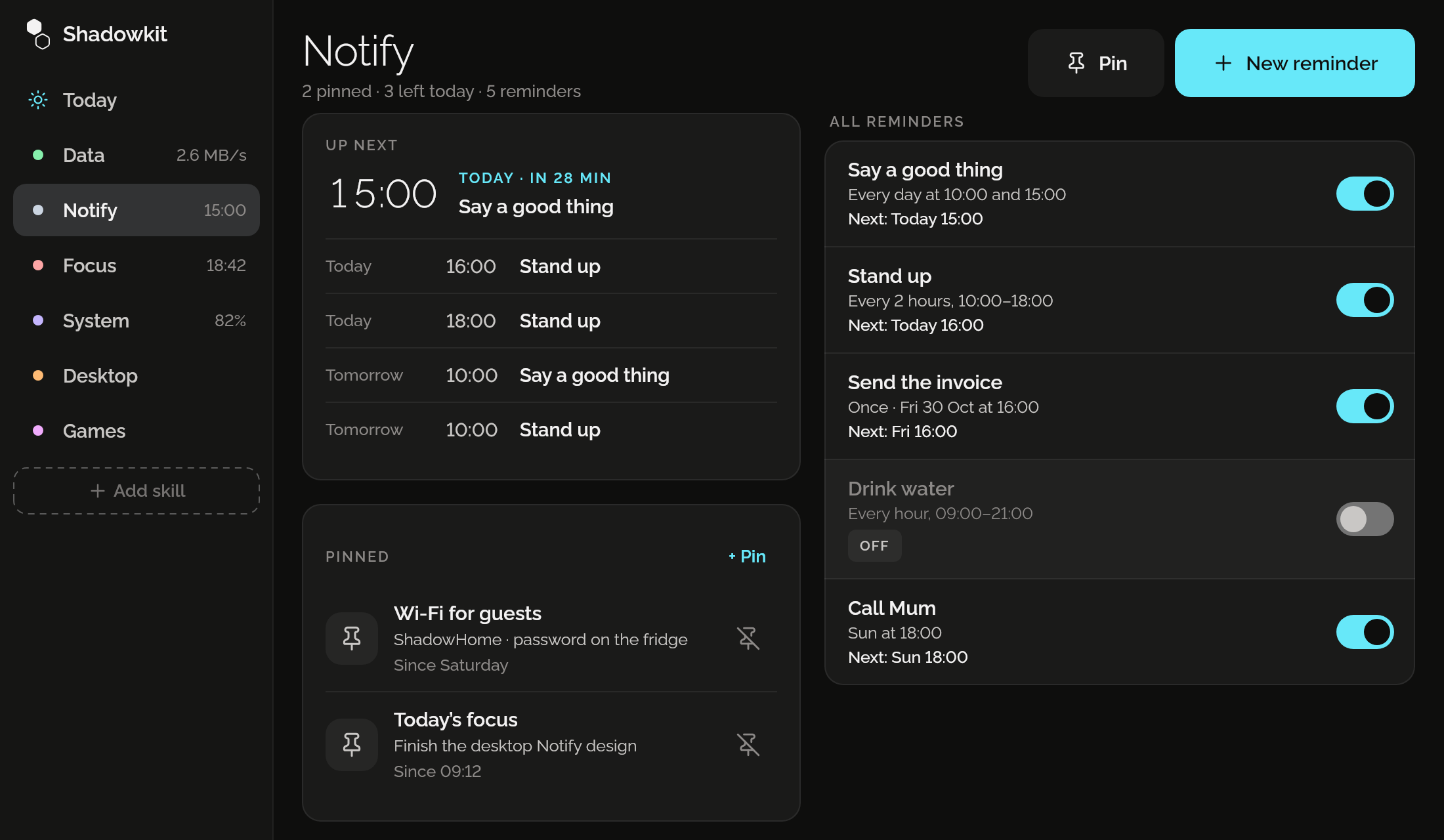
Shadowkit’s window on Notify: Up next with Say a good thing at 15:00, today in 28 minutes, two pins, Wi-Fi for guests and Today’s focus, and five reminders with their schedules, next times and switches.

Up next, at a glance

The next five times across all your reminders, the soonest with how long until it. Beside them, every reminder with its schedule, its next time and a switch.
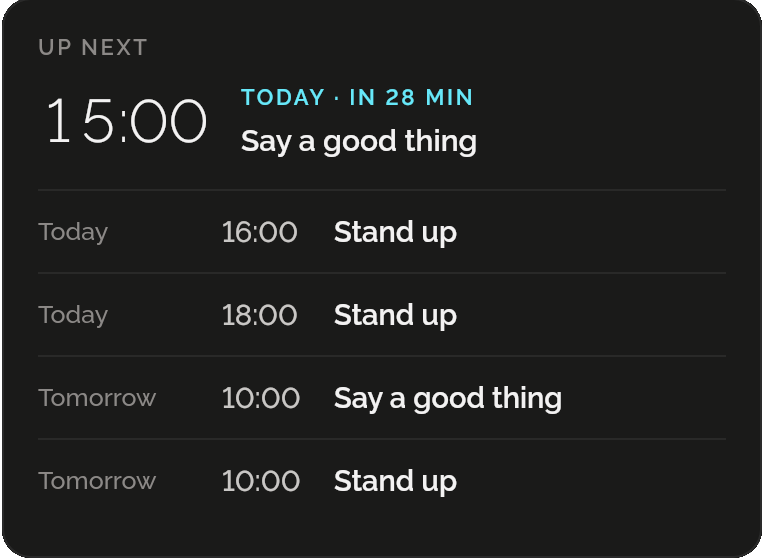
Up next: 15:00 Say a good thing, today in 28 minutes, then Stand up at 16:00 and 18:00 today, and Say a good thing and Stand up at 10:00 tomorrow.

Reads as a sentence

Once, daily, weekly, or every 30 minutes to 12 hours between two times on the days you choose. Type a time as you’d say it, 14:30 or 2:30 pm. Notify writes it back in plain words with its next three times, and sends you a test.
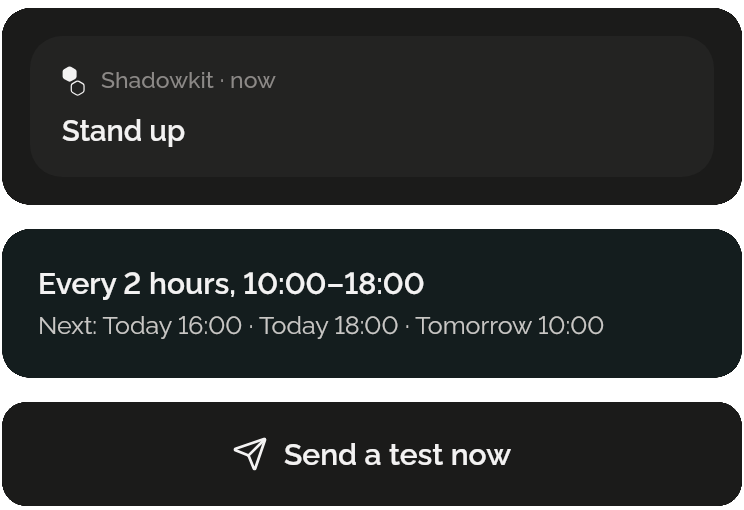
Beside the reminder’s form: the notification as it will look, Shadowkit, Stand up; the summary “Every 2 hours, 10:00–18:00”, next today at 16:00 and 18:00 and tomorrow at 10:00; and Send a test now.

Arrives with the window closed

Shadowkit’s background counter keeps your reminders and sends each at its time, from the moment you sign in. Asleep or off at the time? It comes when you’re back, within the hour, saying when it was due, or Settings skips them.
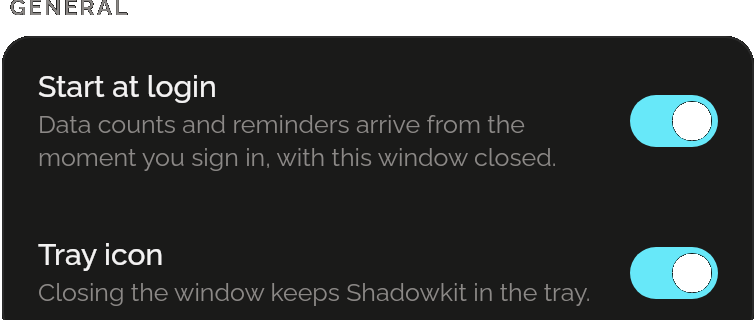
Settings: Start at login, on, “Data counts and reminders arrive from the moment you sign in, with this window closed”, and Tray icon, on, “Closing the window keeps Shadowkit in the tray”.

Pins you keep in view

A door code, a Wi-Fi password, today’s focus: a title and a line in Shadowkit’s tray menu, where a click copies it, and in the notification list. Clear the list and it comes back; unpin it and it goes.

WHILE SHADOWKIT RUNS
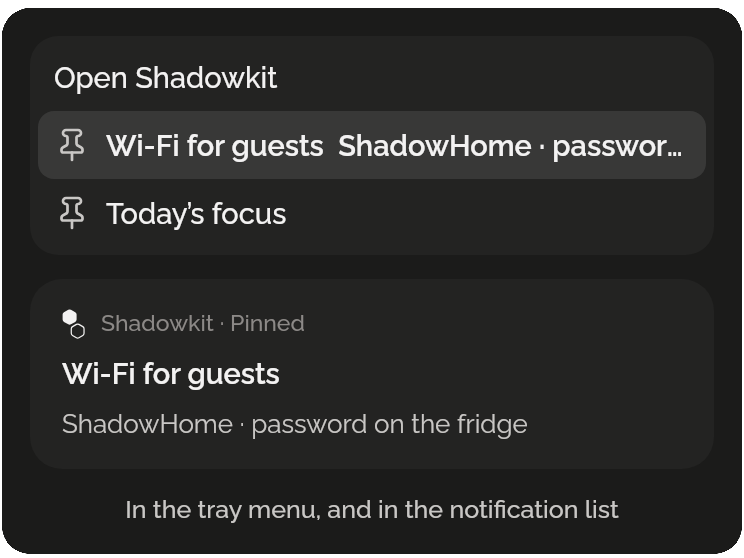
Where a pin shows: the tray menu, with Open Shadowkit and the pins Wi-Fi for guests and Today’s focus, and the notification, Shadowkit, Pinned, Wi-Fi for guests, “ShadowHome · password on the fridge”.

An hour’s quiet

Pause reminders for an hour from the tray menu, for a call or a talk. Notify’s page says until when, with Resume.

WITH THE TRAY ICON

Notify’s Pin and New reminder buttons, and under them “Reminders paused until 15:32” with Resume.

Questions

Does it sync with Notify on my phone?

No. Reminders and pins made on this computer stay on it, and your phone’s stay on your phone. Nothing leaves either.

Do reminders come when Shadowkit is closed?

Yes. The small counter that counts Data keeps your reminders and sends each at its time, from the moment you sign in, while Start at login is on.

What if my computer was asleep?

A reminder missed less than an hour ago comes once, when the computer wakes or you sign in, and says when it was due; older ones are skipped. Settings can skip them all instead.

Does it need the tray icon?

Reminders and pins in the notification list work without it. Pins in the tray menu, the next reminder there and the hour’s pause need a tray: KDE has one, and GNOME needs the AppIndicator extension.

How many reminders can I have?

As many as you like. Shadowkit for desktop is free, with no limit and no Pro.

When can I get it?

On Linux now: Ubuntu 22.04 or newer and Debian 12 or newer, on GNOME or KDE. Windows and macOS come later.

Guide

All posts

More for your computer

Data

Live network speed, today’s Wi-Fi, Ethernet and mobile data, and every day kept.

Focus

A timer for a stretch of work, then a break, with every day’s focused time kept.

System

The battery’s charge, time left and health, and the disk’s free space, kept day by day.

Desktop

GNOME dark at sunset, quiet hours, and set up the way Windows or a Mac behaves.

Games

Six small games for the wait: against the computer, with someone beside you, or alone.

Shadowkit for desktop

On Linux now, Windows and macOS later. Offline, no account, free.

Get Shadowkit

Scan with your Android phone’s camera, or tap Google Play. iPhone is coming soon.Tap Google Play to get it. iPhone is coming soon.

iOS

App Store

Android

Google Play