
GOAL
Keep your language practice going every day
One tap sets up a daily practice habit, a counter for new words, a tracker for words learned, a phrasebook, a note of words to review and an evening nudge, and puts Focus on Home. It goes beside your course app, not instead of it.
Then tap Add a skill › Goals › Language practice. It sets up the seven things below.
- Free
- No account
- Works offline
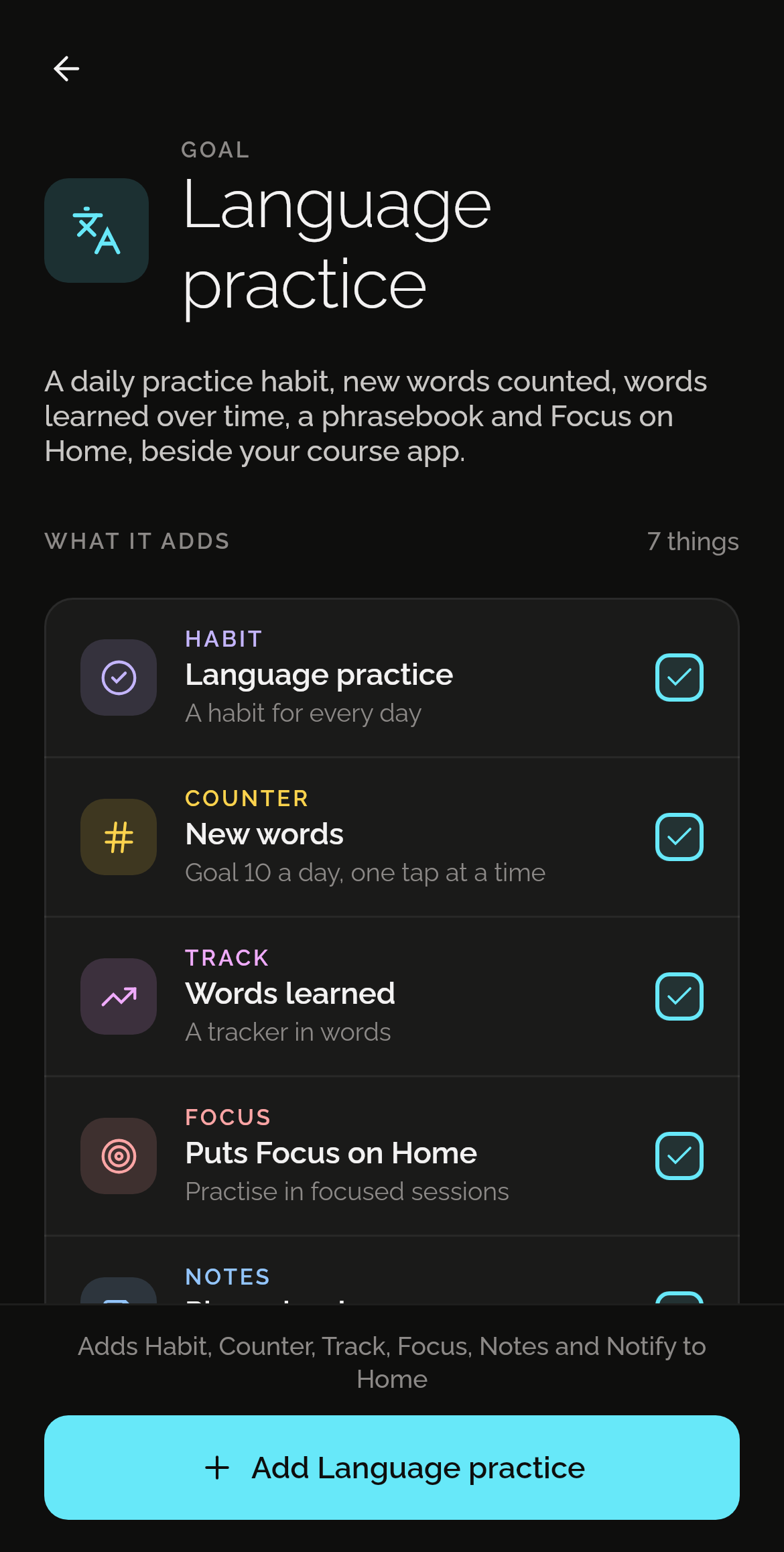
What one tap adds
Seven things, each in the skill that does it best. Each one is yours to change from the first day.
Language practice
A habit to tick each day.
New words
One tap a word, to a goal of 10 a day. It starts again at 0 every day.
Words learned
A tracker in words, to see them add up.
Puts Focus on Home
Practise in focused sessions.
Phrasebook
An empty note for the phrases you need.
Words to review
An empty note for the words that haven’t stuck yet.
Practise for 15 minutes
A reminder every evening at 19:00.
How it works
Install Shadowkit
From Google Play. It starts empty, with no account and nothing to sign up for.
Tap Goals, then Language practice
On Home, tap Add a skill, then Goals. One tap adds all seven.
Change what you like
Everything is yours to edit or remove: rename it, move a reminder, delete what you don’t need.
Good to know
Questions
Is it free?
Yes. Every goal is free. Language practice uses one of the five free habits, one of the five free counters, one of the five free trackers, two of the 20 free notes and one of the three free reminders. If one of those is full, the rest still adds, and Pro removes the limits. No ads, and no trial that runs out. What’s free, and what Pro adds
Does anyone see my data?
No. There’s no account and no server: what you add stays on your phone, and Shadowkit makes no network calls of its own. A backup is a file you keep.
Can I change what it adds?
Yes, all of it. Each is an ordinary habit, counter, tracker, note and reminder, like one you made yourself: rename it, change a time, or delete what you don’t need. If you already have one with the same name, the goal uses yours rather than making a second.
Guides
GUIDE
Habit streaks that don't punish a day off
Streaks keep you going until one bad day wipes them out. How schedules, skips and weekly goals make a habit tracker that matches real life.
GUIDE
Pomodoro timer: how long to focus, and when to rest
Where the Pomodoro Technique's 25 and 5 come from, when longer sessions suit the work better, and a daily focus goal you'll meet. With Shadowkit's Focus.
More goals
See all 50 goalsSet it up in one tap.
Install Shadowkit, then tap Add a skill › Goals › Language practice.
What’s free, and what Pro adds