
GOAL
Track your 100 days of code
One tap sets up a habit for each coding day, a tracker counting to 100, a learning log and a countdown to day 100, and puts Focus on Home for your sessions.
Then tap Add a skill › Goals › 100 days of code. It sets up the five things below.
- Free
- No account
- Works offline
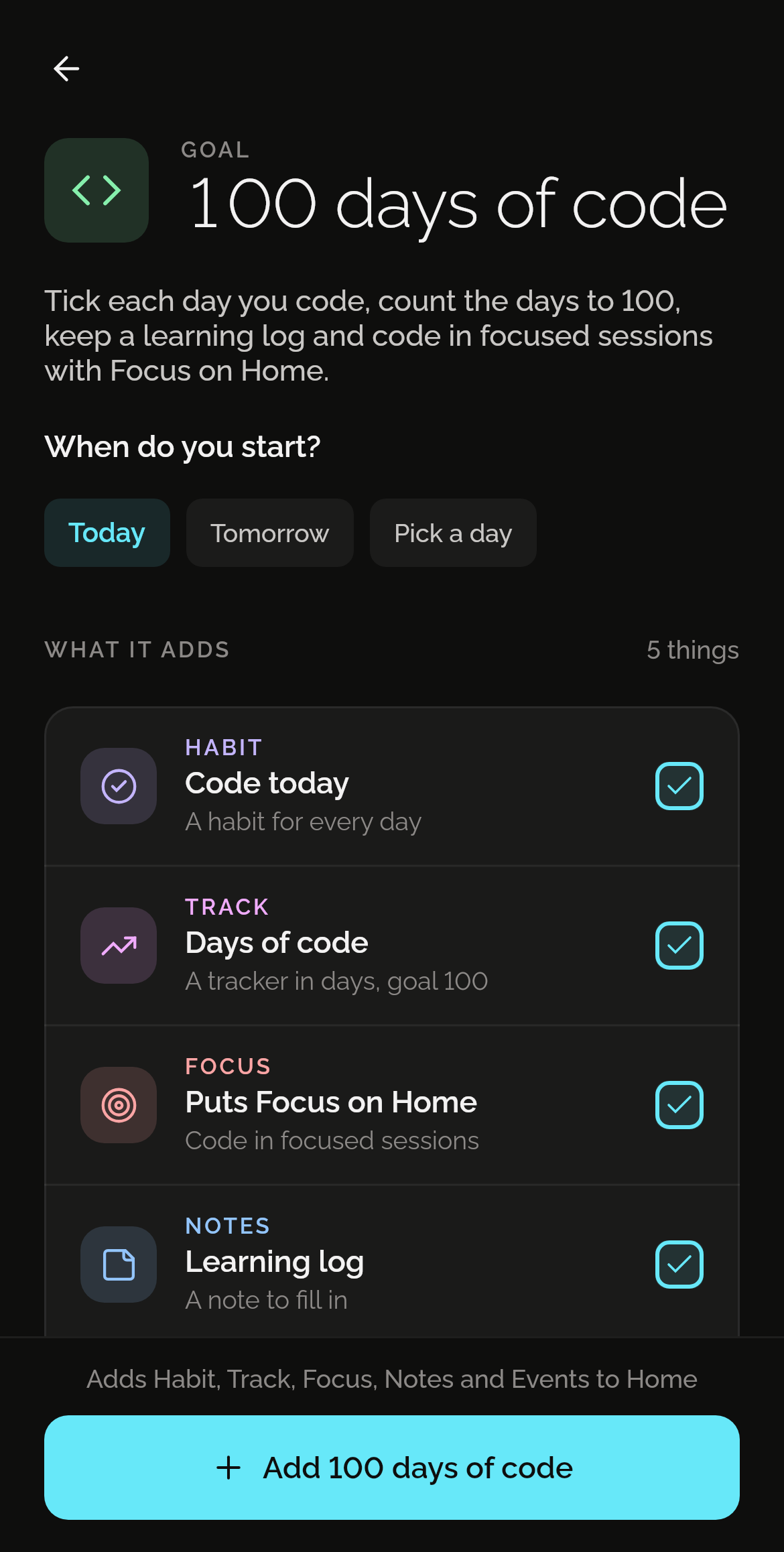
What one tap adds
Five things, each in the skill that does it best. Each one is yours to change from the first day.
Code today
A habit to tick each day you code.
Days of code
A tracker in days, with a goal of 100.
Puts Focus on Home
Code in focused sessions.
Learning log
An empty note for what you learn each day.
Code: day 100
A countdown to the last day, 99 days after the first.
How it works
Install Shadowkit
From Google Play. It starts empty, with no account and nothing to sign up for.
Tap Goals, then 100 days of code
On Home, tap Add a skill, then Goals. Say when you start. One tap adds all five.
Change what you like
Everything is yours to edit or remove: rename it, move a reminder, delete what you don’t need.
Good to know
Questions
Is it free?
Yes. Every goal is free. 100 days of code uses one of the five free habits, one of the five free trackers, one of the 20 free notes and one of the five free events. If one of those is full, the rest still adds, and Pro removes the limits. No ads, and no trial that runs out. What’s free, and what Pro adds
Does anyone see my data?
No. There’s no account and no server: what you add stays on your phone, and Shadowkit makes no network calls of its own. A backup is a file you keep.
Can I change what it adds?
Yes, all of it. Each is an ordinary habit, tracker, note and event, like one you made yourself: rename it, change a time, or delete what you don’t need. If you already have one with the same name, the goal uses yours rather than making a second.
Guides
GUIDE
Network speed, reminders and a focus timer on Linux
See live network speed and daily data use, get reminders with the window closed and time your breaks on Linux, with built-in tools or Shadowkit for desktop.
GUIDE
Pomodoro timer: how long to focus, and when to rest
Where the Pomodoro Technique's 25 and 5 come from, when longer sessions suit the work better, and a daily focus goal you'll meet. With Shadowkit's Focus.
More goals
See all 50 goalsSet it up in one tap.
Install Shadowkit, then tap Add a skill › Goals › 100 days of code.
What’s free, and what Pro adds