
GOAL
Do the 30-day push-up challenge and see your progress
One tap sets up a push-up counter for the day, a tracker for your best set, a habit to tick each day, a countdown to day 30 and a note on form. Free, with no account and no ads.
Then tap Add a skill › Goals › Push-up challenge. It sets up the five things below.
- Free
- No account
- Works offline
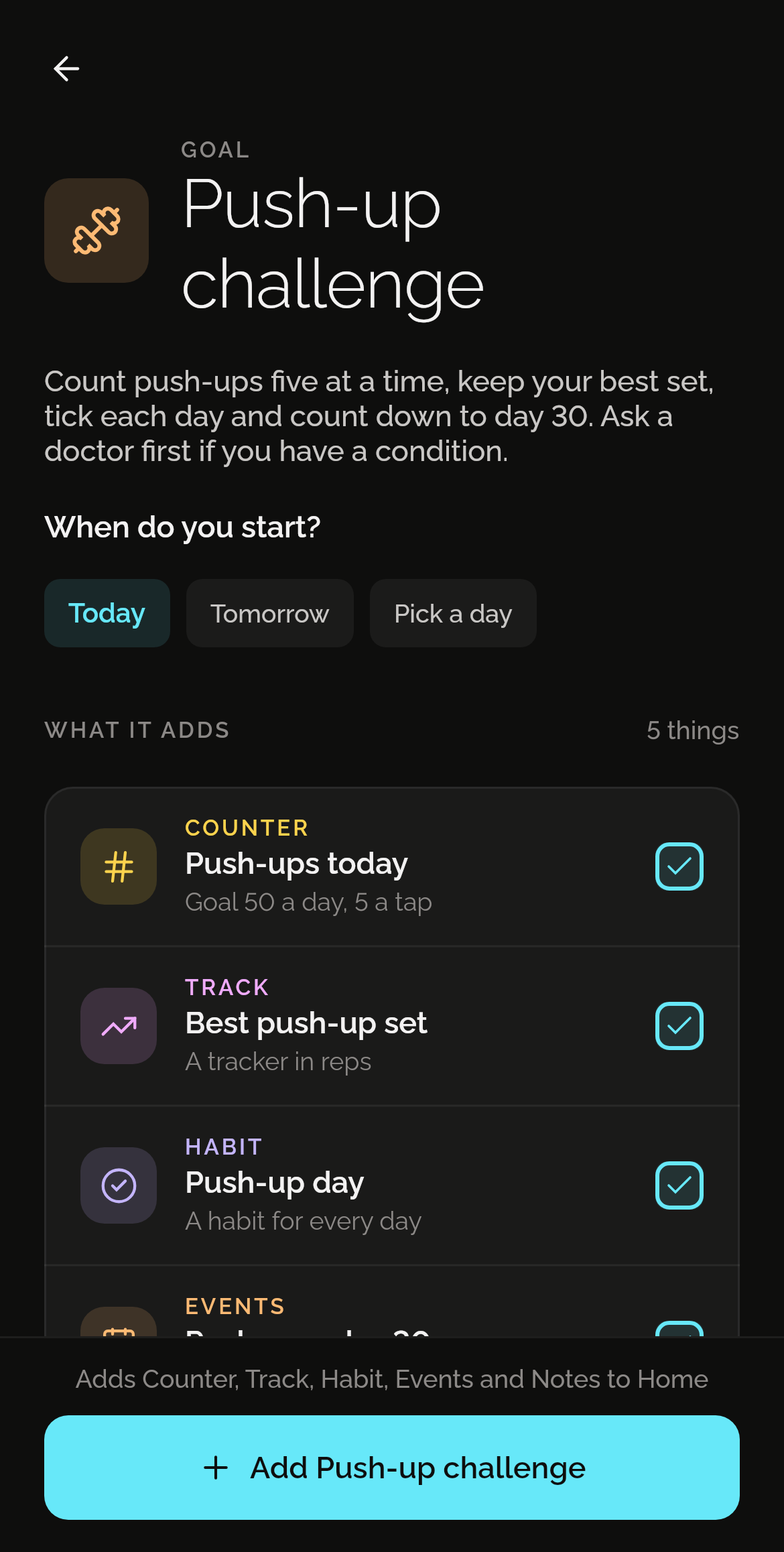
What one tap adds
Five things, each in the skill that does it best. Each one is yours to change from the first day.
Push-ups today
Five a tap, to a goal of 50 a day you can change. It starts again at 0 every day.
Best push-up set
A tracker in reps for your best set, to see it grow.
Push-up day
A habit to tick each day.
Push-ups: day 30
A countdown to the last day, 29 days after the first.
Form tips
A note: hands under your shoulders, your body in one straight line, and the rest.
How it works
Install Shadowkit
From Google Play. It starts empty, with no account and nothing to sign up for.
Tap Goals, then Push-up challenge
On Home, tap Add a skill, then Goals. Say when you start. One tap adds all five.
Change what you like
Everything is yours to edit or remove: rename it, move a reminder, delete what you don’t need.
Good to know
Questions
Is it free?
Yes. Every goal is free. Push-up challenge uses one of the five free counters, one of the five free trackers, one of the five free habits, one of the five free events and one of the 20 free notes. If one of those is full, the rest still adds, and Pro removes the limits. No ads, and no trial that runs out. What’s free, and what Pro adds
Does anyone see my data?
No. There’s no account and no server: what you add stays on your phone, and Shadowkit makes no network calls of its own. A backup is a file you keep.
Can I change what it adds?
Yes, all of it. Each is an ordinary counter, tracker, habit, event and note, like one you made yourself: rename it, change a time, or delete what you don’t need. If you already have one with the same name, the goal uses yours rather than making a second.
Guides
GUIDE
Habit streaks that don't punish a day off
Streaks keep you going until one bad day wipes them out. How schedules, skips and weekly goals make a habit tracker that matches real life.
GUIDE
How to track your progress over time with one number
Pick a number worth writing down, decide which way is better, read the trend rather than the day, and set a goal: tracking progress, and Shadowkit’s Track.
More goals
See all 50 goalsSet it up in one tap.
Install Shadowkit, then tap Add a skill › Goals › Push-up challenge.
What’s free, and what Pro adds