
GOAL
Your no-spend challenge, day by day
One tap sets up a habit for each no-spend day, an allowed list, a note for what you didn’t buy, a tracker for the money you kept, a countdown to day 30 and an evening check. Private, with no bank link.
Then tap Add a skill › Goals › No-spend challenge. It sets up the seven things below.
- Free
- No account
- Works offline
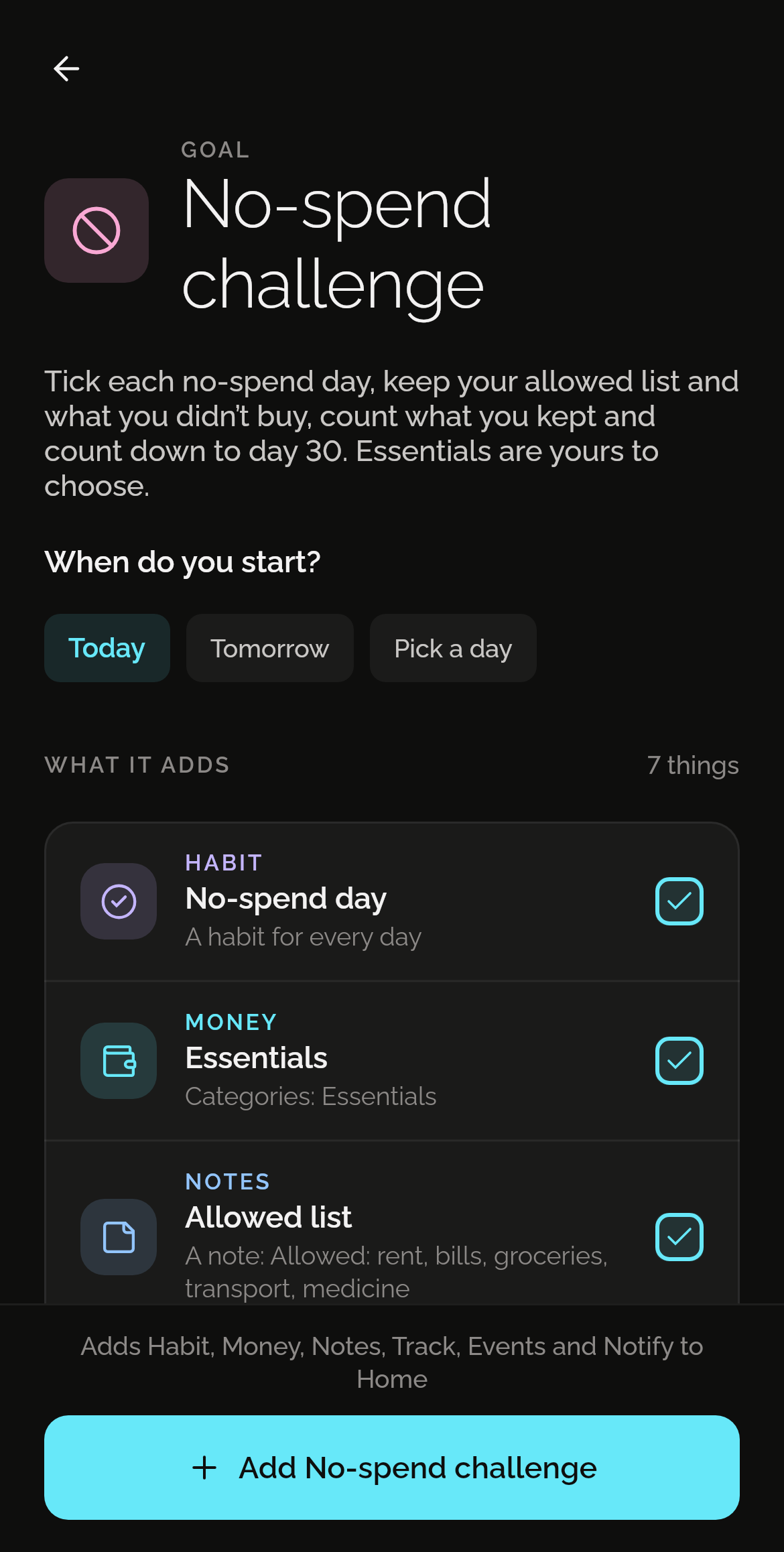
What one tap adds
Seven things, each in the skill that does it best. Each one is yours to change from the first day.
No-spend day
A habit to tick on each day you buy nothing outside your list.
Essentials
A category for what’s on your allowed list.
Allowed list
A note: rent, bills, groceries, transport, medicine. Change it to yours.
Things I didn’t buy
A note to add to when you hold back.
Money not spent
A tracker for what you reckon you kept.
No-spend: day 30
A countdown to the last day, 29 days after the first.
Did today stay no-spend?
A reminder every evening at 21:00.
How it works
Install Shadowkit
From Google Play. It starts empty, with no account and nothing to sign up for.
Tap Goals, then No-spend challenge
On Home, tap Add a skill, then Goals. Say when you start. One tap adds all seven.
Change what you like
Everything is yours to edit or remove: rename it, move a reminder, delete what you don’t need.
Good to know
Questions
Is it free?
Yes. Every goal is free. No-spend challenge uses one of the five free habits, a Money category, which has no limit, two of the 20 free notes, one of the five free trackers, one of the five free events and one of the three free reminders. If one of those is full, the rest still adds, and Pro removes the limits. No ads, and no trial that runs out. What’s free, and what Pro adds
Does anyone see my data?
No. There’s no account and no server: what you add stays on your phone, and Shadowkit makes no network calls of its own. A backup is a file you keep.
Can I change what it adds?
Yes, all of it. Each is an ordinary habit, Money category, note, tracker, event and reminder, like one you made yourself: rename it, change a time, or delete what you don’t need. If you already have one with the same name, the goal uses yours rather than making a second.
Guides
GUIDE
How to track your spending without linking your bank
A simple way to see where your money goes, without handing your bank login to an app: accounts, quick entries, categories, and CSV import.
GUIDE
How to track cash spending, the money your bank can’t see
Cash leaves no statement. How to track cash payments: a cash account, withdrawals as transfers, each payment noted, and a weekly count of your wallet.
More goals
See all 50 goalsSet it up in one tap.
Install Shadowkit, then tap Add a skill › Goals › No-spend challenge.
What’s free, and what Pro adds